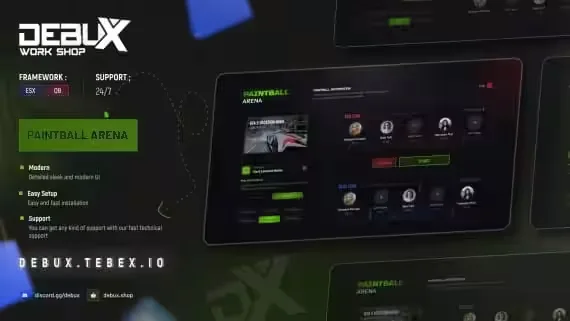
Paintball Arena Minigame
A paintball minigame for FiveM with 3 arenas ready to go out of the box. The part that matters for a busy server: multiple matches can run at the same time. Each match switches its players into a different world, so one group finishing a round never blocks the next lobby from starting.
What you get
- 3 maps by default: the arena maps and add-on weapons ship inside the file, and extra new maps can be added later
- Concurrent matches: many people play at once, with each match placed in its own world for the duration of the round
- Sleek, modern UI: detailed and clean, built for the minigame
- Detailed config.lua: swap the paintball gun for any weapon at any time, and add new paintball starting points wherever you want them
- Easy language editing: translate the script without digging through code
Setup and support
Installation is straightforward, maps and weapons are already bundled, and after-sales support is included if you get stuck.
Product information
Compatibility, delivery and setup
Check these listing details against your server before checkout. The documentation supplied with the download is the source of truth for exact dependencies, file names and configuration.
Compatibility
- Resource type
- FiveM script
- Category
- ESX Scripts
- Creator
- Not listed
Order details
- Price
- $15.00
- Delivery
- Unique download link sent by email after checkout
- Sold by
- CFX Tebex Store Official
- Updates
- Lifetime updates included
Installation checklist
Start with the files and readme included with this product.
-
Match the requirements
This listing names esx, qbcore, qbox support. Check the description and readme for required inventory, target, library, database or map resources.
-
Keep the supplied names and order
Do not guess or rename the resource folder. Use the dependency order, config values, SQL and item definitions supplied in the download when they are present.
-
Start it after its dependencies
Upload the folder to
resources/, then addensure <download-folder>toserver.cfgusing the exact downloaded folder name. -
Test before going live
Start it on a development server, check the console for missing dependencies, then test every action described on this page with the integrations used by your live server.
Write a review
Reviews are moderated before appearing. Purchased the product? Your review gets a VERIFIED badge automatically.