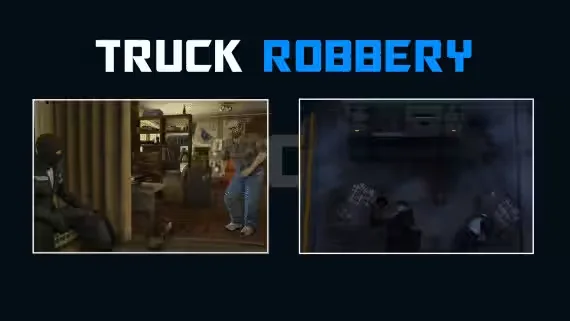
DRC Truck Robbery Heist
A free armored truck heist for ESX, QBCore and Qbox servers. Put a crew together, stop the truck, and decide what you're walking away with, since the script ships three loot types: cash, gold or diamonds. Custom menus and mini-games carry the action from the first hit to the getaway, and it comes fully open source, so nothing is locked behind escrow.
Features
- Multiplayer sync: coordination stays tight across the whole crew
- Three loot types: cash, gold or diamonds per job
- Custom UI menu: intuitive and easy to navigate
- Mini-games: keep every stage of the heist hands-on
- Advanced animations: for a more believable run
- Sound effects: bring the robbery to life
- Secured server events: keep the heist safe from abuse
- Optimized: runs smoothly on your server
- 3D text support: clear visual prompts in the world
- Easy setup: get it running quickly
Dependencies
- Frameworks: ESX, QB
- Targeting: qtarget, qb-target, ox_target
- Sound: xSound, interact-sound
- Inventory: ox, qb, or any system via the configurable Inventory file
- Library: ox_lib
Under the Hood
- 4000+ lines of code
- Fully open source
- Configurable through the config and utils files
- Easy to change to your liking
Product information
Compatibility, delivery and setup
Check these listing details against your server before checkout. The documentation supplied with the download is the source of truth for exact dependencies, file names and configuration.
Compatibility
- Resource type
- FiveM script
- Category
- DRC Scripts
- Creator
- Not listed
Order details
- Price
- FREE
- Delivery
- Unique download link sent by email after checkout
- Sold by
- CFX Tebex Store Official
- Updates
- Lifetime updates included
Installation checklist
Start with the files and readme included with this product.
-
Match the requirements
This listing names esx, qbcore, qbox support. Check the description and readme for required inventory, target, library, database or map resources.
-
Keep the supplied names and order
Do not guess or rename the resource folder. Use the dependency order, config values, SQL and item definitions supplied in the download when they are present.
-
Start it after its dependencies
Upload the folder to
resources/, then addensure <download-folder>toserver.cfgusing the exact downloaded folder name. -
Test before going live
Start it on a development server, check the console for missing dependencies, then test every action described on this page with the integrations used by your live server.
Write a review
Reviews are moderated before appearing. Purchased the product? Your review gets a VERIFIED badge automatically.


