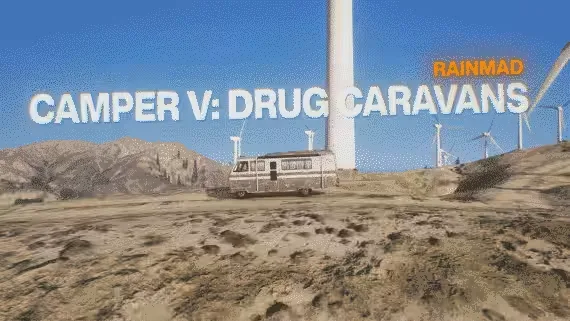
Drug Caravans : Camper V by RainMAD
Showcase :
*
Ingame :
○ Setup your caravan with your drug lab.
○ Go to inside.
○ Get rid of the weights on you or put your cooking here.
○ Start cooking!
Dependencies
- ESX or QBCore (support all versions).
- Game build must be 2944 or higher. Server version must be 5181 or higher.
Features
- Drug Caravans
○ You can buy one caravan from vehicle shop and you can change inside with a NPC.
○ You can look inside of drug labs. interiors and can buy whatever you want.
○ Each drugs have a many different process. Each process gives different item.
○ Each drug caravan have a own stash. (support ox_inventory, qs-inventory and qb_inventory)*
○ Total 4 drug type (4 drug lab. interior included with script):
○ WEED
○ COKE
○ ACID
○ METH
- Configuration
○ Detailed and easy config.
○ Configurable drug items for each process.
○ Configurable caravan vehicles.
○ Configurable each drug interior price.
○ Configurable language.
○ Configurable dispatch on config.lua. (for each drug process, with dispatch chance) (QS-Dispatch, RCore-Dispatch, CD-Dispatch, PS-Dispatch, Default Dispatch )
○ You can prepare drugs while the vehicle is driving or stationary. You can enable/disable this feature from config.
- Optimization & Files
○ This resource is running at idle with 0.00-0.01ms.
○ ALL FILES ARE OPEN SOURCE
Product information
Compatibility, delivery and setup
Check these listing details against your server before checkout. The documentation supplied with the download is the source of truth for exact dependencies, file names and configuration.
Compatibility
- Resource type
- FiveM script
- Category
- ESX Scripts
- Creator
- Not listed
Order details
- Price
- $15.00
- Delivery
- Unique download link sent by email after checkout
- Sold by
- CFX Tebex Store Official
- Updates
- Lifetime updates included
Installation checklist
Start with the files and readme included with this product.
-
Match the requirements
This listing names esx, qbcore, qbox support. Check the description and readme for required inventory, target, library, database or map resources.
-
Keep the supplied names and order
Do not guess or rename the resource folder. Use the dependency order, config values, SQL and item definitions supplied in the download when they are present.
-
Start it after its dependencies
Upload the folder to
resources/, then addensure <download-folder>toserver.cfgusing the exact downloaded folder name. -
Test before going live
Start it on a development server, check the console for missing dependencies, then test every action described on this page with the integrations used by your live server.
Write a review
Reviews are moderated before appearing. Purchased the product? Your review gets a VERIFIED badge automatically.