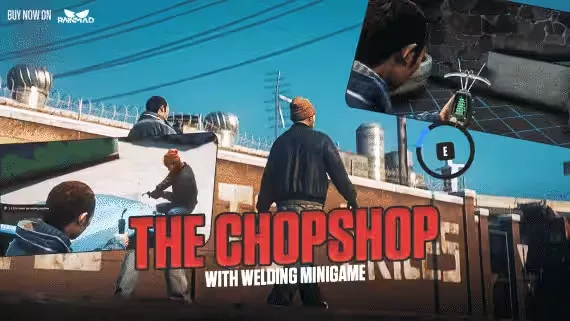
RainMad Chopshop, Free and Fully Open Source
A complete chopshop job built on ox_lib. Works on ESX, QBCore (all versions) and Qbox. Idles at 0.00-0.01ms, and every file ships open source, no escrow anywhere.
How the Job Plays Out
Buy your gear: pick up a welding machine and a digiscanner from the mission NPC, then take the chopshop job from the same NPC. You decide which in-game hours the job is available.
Track down the vehicle: head to the marked area and sweep it with the digiscanner. Once you find the vehicle, keep scanning around the house it sits at; hit the correct corner and the vehicle key appears. The minigame that triggers here is swappable in the config.
Strip it down: drive to the dismantling spot marked on your map and pull every part off the car.
Cash out: bring the parts back to the quest giver and either sell them or trade them for other items.
Bridges Included
Everything below runs through the open bridge/ folder, so swapping systems is a file edit, not a rewrite:
- Target: ox_target, qb-target, qtarget
- Vehicle keys: qb-vehiclekeys, wasabi_carlock, qs-vehiclekeys, cd_garage
- Minigames: rm_minigames, ox_lib, qb-minigames
- Text UI: okok_textUI, ox_lib text UI, esx_textui
- Dispatch: default-dispatch, qs-dispatch, cd_dispatch, ps-dispatch, rcore_dispatch, sonoran_cad
Running something not on the list? Send the documentation and it can be added.
Logs and Configuration
Detailed Discord logging covers item buys, sells and trades, plus every job start, finish and cancel. The config lets you change vehicle models, house and key locations (15+ come pre-configured), the dismantling location and more. Notifications and locales are open for editing too.
Product information
Compatibility, delivery and setup
Check these listing details against your server before checkout. The documentation supplied with the download is the source of truth for exact dependencies, file names and configuration.
Compatibility
- Resource type
- FiveM script
- Category
- ESX Scripts
- Creator
- Not listed
Order details
- Price
- FREE
- Delivery
- Unique download link sent by email after checkout
- Sold by
- CFX Tebex Store Official
- Updates
- Lifetime updates included
Installation checklist
Start with the files and readme included with this product.
-
Match the requirements
This listing names esx, qbcore, qbox support. Check the description and readme for required inventory, target, library, database or map resources.
-
Keep the supplied names and order
Do not guess or rename the resource folder. Use the dependency order, config values, SQL and item definitions supplied in the download when they are present.
-
Start it after its dependencies
Upload the folder to
resources/, then addensure <download-folder>toserver.cfgusing the exact downloaded folder name. -
Test before going live
Start it on a development server, check the console for missing dependencies, then test every action described on this page with the integrations used by your live server.
Write a review
Reviews are moderated before appearing. Purchased the product? Your review gets a VERIFIED badge automatically.