
WAIS HUD V6, One HUD for Everything on Screen
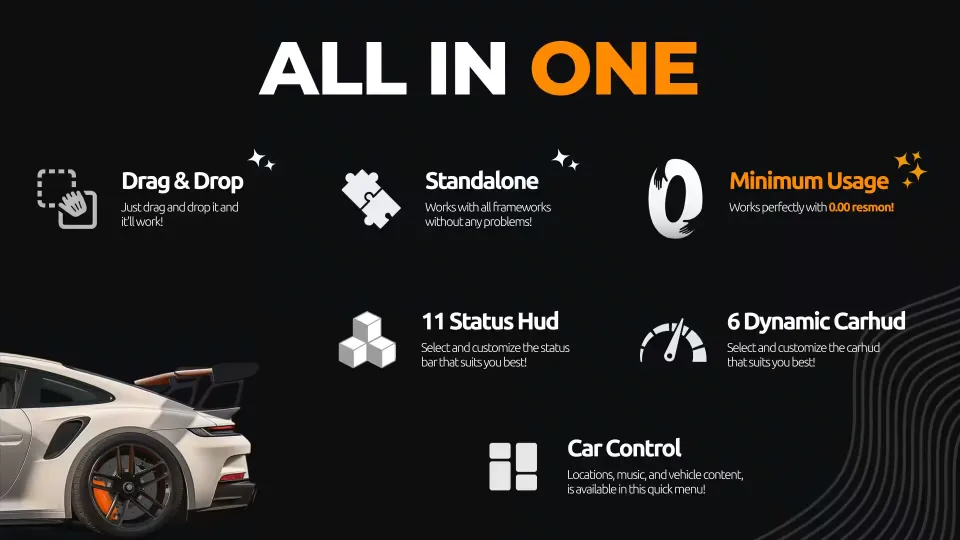
Status bars, speedometer, minimap, money panel, and a car control menu in a single resource, with 11 status bar styles and 6 animated vehicle HUDs to pick from. Every color is editable in game, and it all runs at effectively zero resmon.
Performance You Can Verify
Open resmon and check for yourself: 0.00ms on foot, 0.01ms behind the wheel. The HUD stays out of your tick budget no matter how full the server gets.
Standalone, Drag and Drop
WAIS HUD V6 has no framework dependencies. Drop it into your resources folder and it works out of the box on QBCore, ESX, Qbox, or anything else you run. No complicated setup, nothing to wire up.
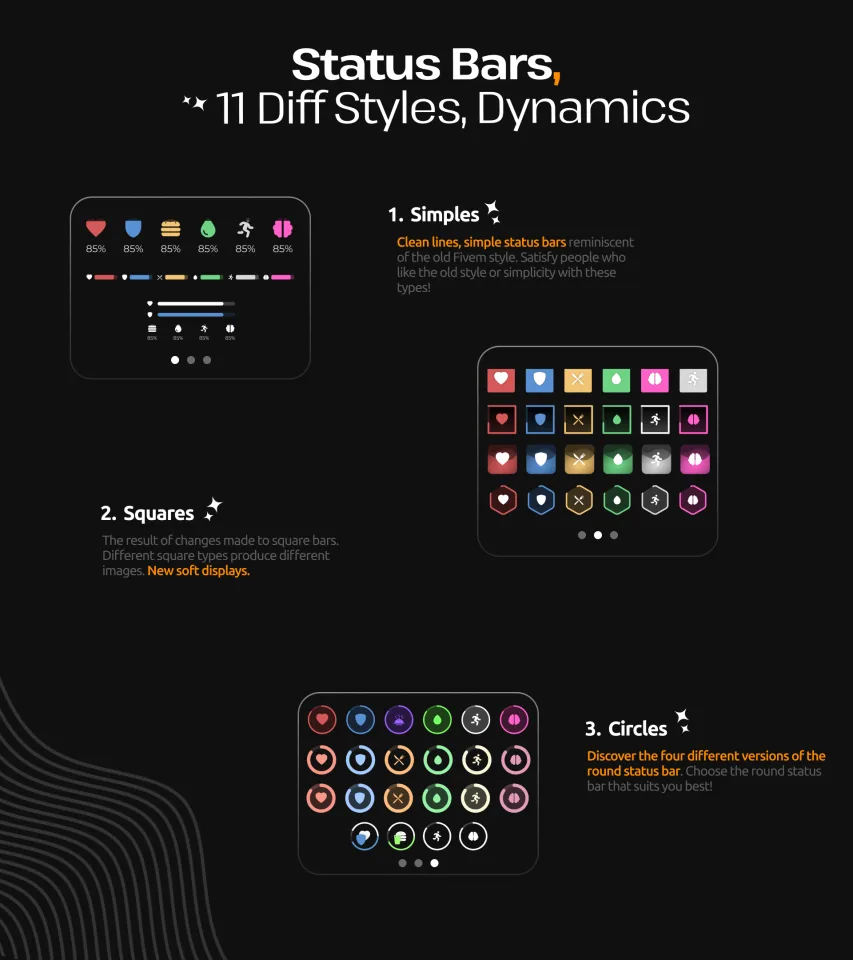
11 Status Bar Styles in Three Families
- Simple: clean lines and minimal layouts in the spirit of classic FiveM HUDs, for players who want an old-school look.
- Square: modern square-based bars with soft display styling and multiple geometric variations.
- Circle: four distinct circular designs, so there is a round HUD to match your server's aesthetic.
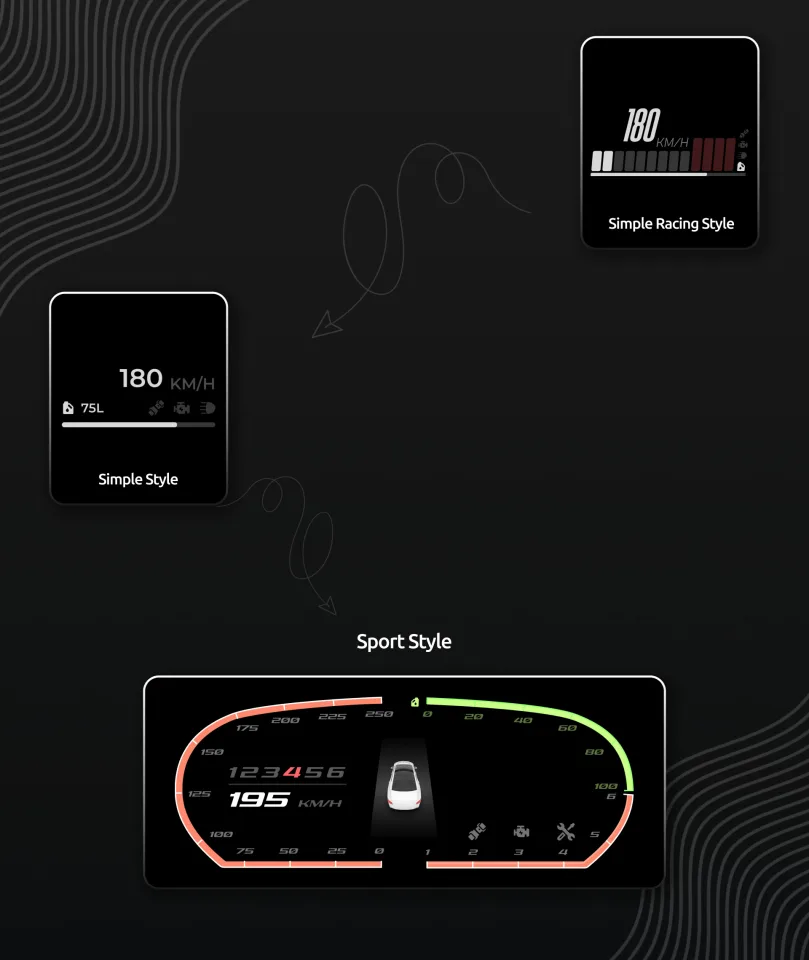
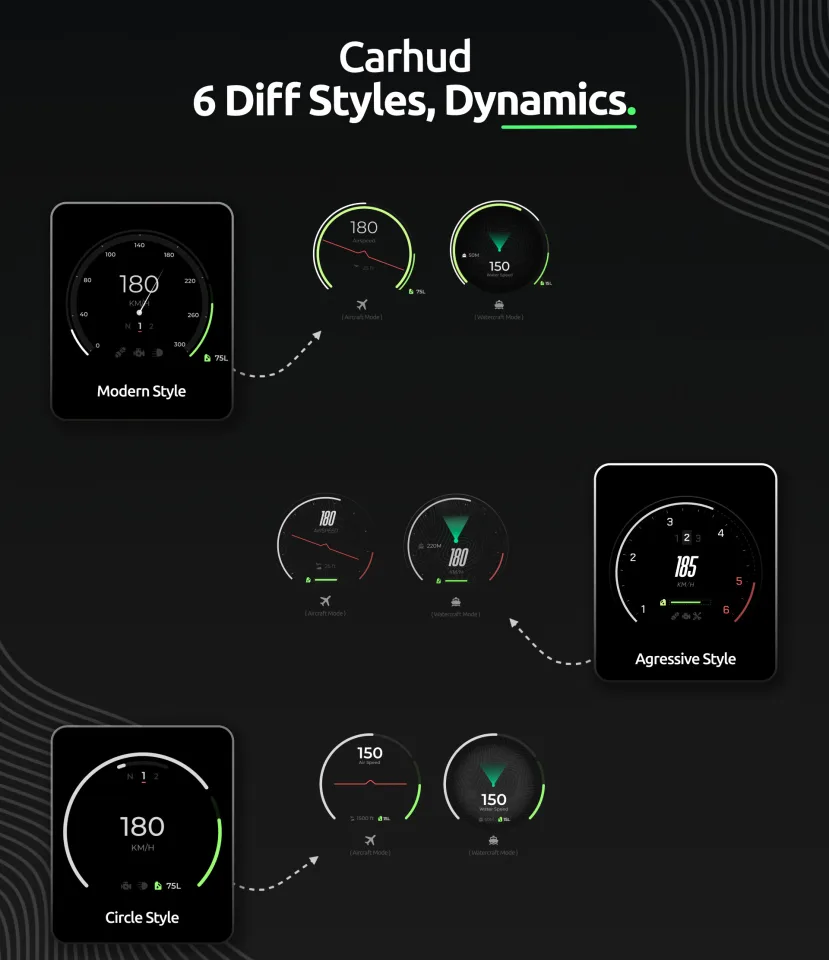
6 Animated Vehicle HUDs
Fully animated speedometers with dedicated displays for cars, boats, and aircraft. The HUD reads what you are driving and switches to the matching layout on its own.
4 Right-Corner Info Panels
Compact corner widgets showing cash, bank balance, job title, gang affiliation, and more.
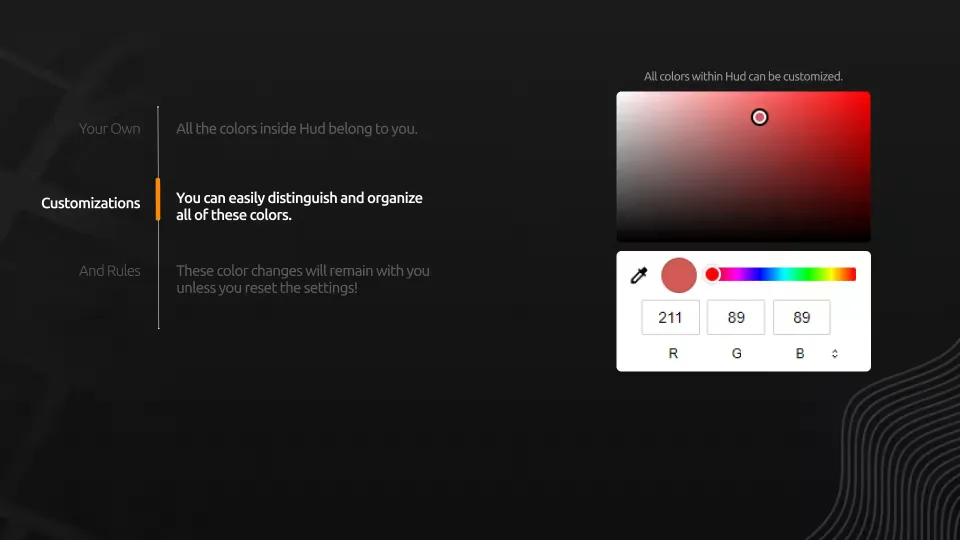
Recolor Everything, Keep It Forever
Status bars, vehicle HUD elements, and UI accents can each be recolored individually. Your choices persist across sessions until you hit reset, so players set their look once and forget about it.
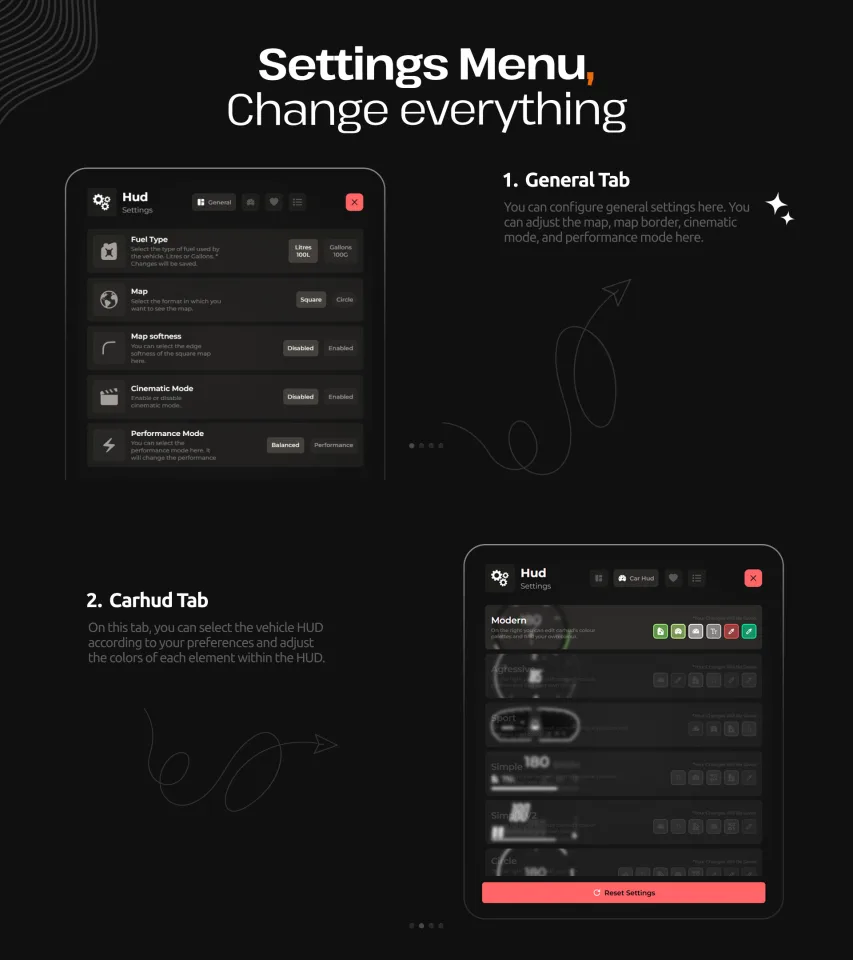
In-Depth Settings Menu
- General tab: minimap style, map border, cinematic mode, and performance mode.
- Car HUD tab: choose your vehicle HUD style and fine-tune the color of every element inside it.
- Reset: one click restores defaults at any time.
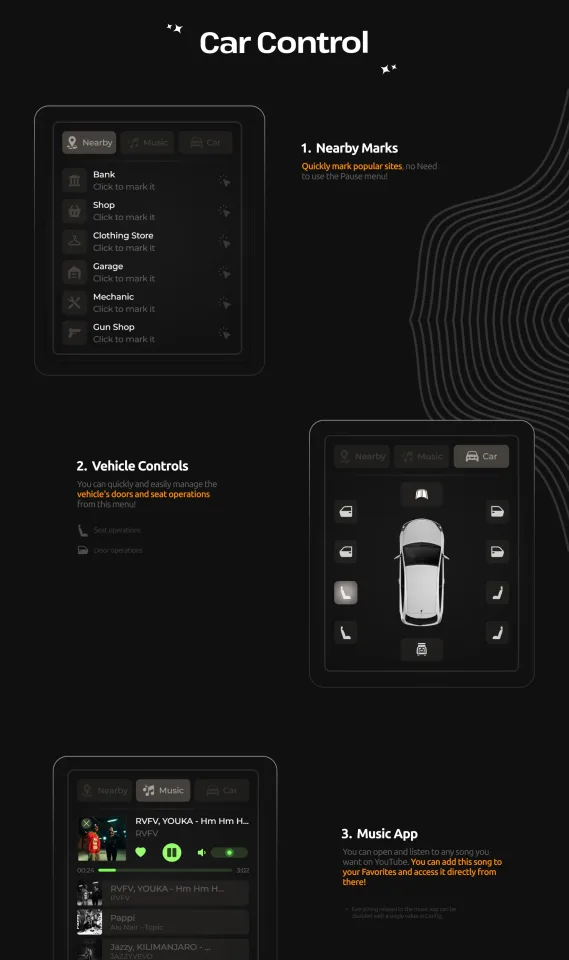
Built-In Car Control Menu
- Nearby Marks: pin banks, shops, clothing stores, garages, mechanics, and gun shops on the map without touching the pause menu.
- Vehicle Controls: manage doors and seat positions from a clean in-vehicle menu.
- Music Player: stream music from YouTube in game and save songs to favorites for quick access.
Product information
Compatibility, delivery and setup
Check these listing details against your server before checkout. The documentation supplied with the download is the source of truth for exact dependencies, file names and configuration.
Compatibility
- Resource type
- FiveM script
- Category
- 0Resmon
- Creator
- Not listed
Order details
- Price
- $25.00
- Delivery
- Unique download link sent by email after checkout
- Sold by
- CFX Tebex Store Official
- Updates
- Lifetime updates included
Installation checklist
Start with the files and readme included with this product.
-
Match the requirements
This listing names esx, qbcore, qbox support. Check the description and readme for required inventory, target, library, database or map resources.
-
Keep the supplied names and order
Do not guess or rename the resource folder. Use the dependency order, config values, SQL and item definitions supplied in the download when they are present.
-
Start it after its dependencies
Upload the folder to
resources/, then addensure <download-folder>toserver.cfgusing the exact downloaded folder name. -
Test before going live
Start it on a development server, check the console for missing dependencies, then test every action described on this page with the integrations used by your live server.
Write a review
Reviews are moderated before appearing. Purchased the product? Your review gets a VERIFIED badge automatically.