QBCore Framework V3
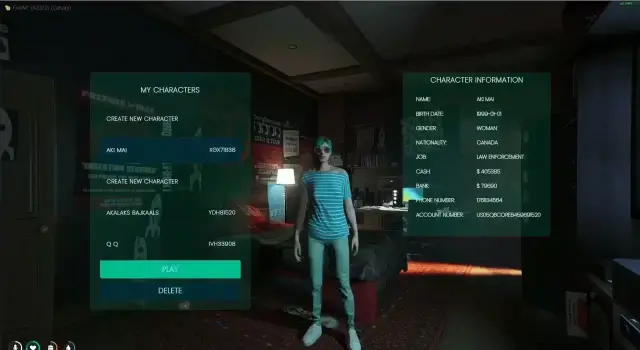
A complete QBCore V3 server build that ships with new EUP, new maps, custom vehicles and a set of premium FiveM scripts already installed. Eye target is integrated on most scripts, so interactions feel consistent across the whole server. New players arrive through a cutscene while landing in the city, then pick where to start from a custom spawn selector.
Crime and economy
- Unique, custom-built robberies
- Advanced drug system with custom animations
- Blackmarket with different locations
- Pawnshop system
- Gang systems
- Arcade machines, casino and roulette
Jobs
Public and whitelisted jobs out of the box: Ambulance, Burgershot, Bus, Police, Vanilla Unicorn, Truck Driver, Tow, Taxi and many more, all set up to work with Gabz MLOs.
The police job is fully functional and comes with an MDT and a custom alert system, plus dedicated Police and EMS outfits and vehicles.
Vehicles and shops
Two dealerships are included: a luxury vehicle shop (EDM) and PDM running a stock system, backed by a large pool of custom vehicles.
World and content
- Cayo Island
- Custom apartment interior
- Huge amount of custom clothes, maps and vehicles
- Custom emotes
Core systems
Inventory is fully functional, and voice is handled by PMA-voice together with radio and phone.
Product information
Compatibility, delivery and setup
Check these listing details against your server before checkout. The documentation supplied with the download is the source of truth for exact dependencies, file names and configuration.
Compatibility
- Resource type
- FiveM script
- Category
- FiveM Readymade Servers
- Creator
- Not listed
Order details
- Price
- $80.00
- Delivery
- Unique download link sent by email after checkout
- Sold by
- CFX Tebex Store Official
- Updates
- Lifetime updates included
Installation checklist
Start with the files and readme included with this product.
-
Match the requirements
This listing names qbcore, qbox support. Check the description and readme for required inventory, target, library, database or map resources.
-
Keep the supplied names and order
Do not guess or rename the resource folder. Use the dependency order, config values, SQL and item definitions supplied in the download when they are present.
-
Start it after its dependencies
Upload the folder to
resources/, then addensure <download-folder>toserver.cfgusing the exact downloaded folder name. -
Test before going live
Start it on a development server, check the console for missing dependencies, then test every action described on this page with the integrations used by your live server.
Write a review
Reviews are moderated before appearing. Purchased the product? Your review gets a VERIFIED badge automatically.
![QBCore Framework V5 [250+ Scripts] - This pre-made server delivers](/uploads/card/57d6d170e294b5f4b98ca61011e949ae.webp)