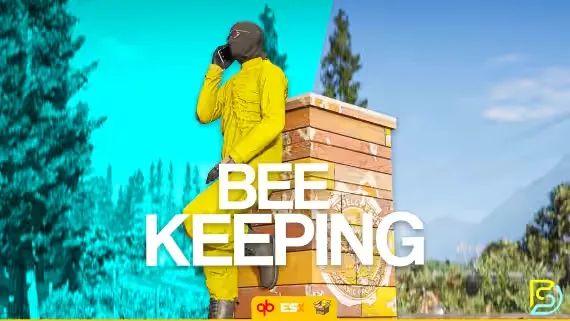
Free NoPixel BeeKeeping
Place bee houses around your map and they start pulling in bees, with the occasional queen turning up. Move your catch into hives, then let time do its work while honey and wax build up inside. A beekeeping ped sells the houses and hives and buys the honey and wax back off you, so the whole loop runs on day one without extra setup.
If your server runs qs-inventory or ox_inventory, the script detects it automatically and hooks in with no work on your part.
Features
- Bee houses: place them to attract bees, including occasional queens, which you can then use in hives
- Hives: introduce bees and queens, then watch honey and wax production over time
- Beekeeping ped: a spot where players buy bee houses and hives, and sell their honey and wax
- Collaborators: as the owner of a house or hive, add other players so they can help manage it
- Durability: houses and hives gradually wear down, and players must maintain them to stop them being destroyed
- Highly configurable to adapt to your server's requirements
- Performance: minimal latency and efficient database saving, with a resmon range of 0.00 to 0.01 ms
- Included locales: English, German, French, Spanish and Arabic, ready for easy language swapping
- Optional detailed logs: know exactly who is doing what, and when
Dependencies
- qb-core (new and old supported) or es_extended (all versions 1.3+)
- qb-target, q-target or ox_target
- Bzzz props (included in the zip)
- ox_lib (make sure it is up to date)
Product information
Compatibility, delivery and setup
Check these listing details against your server before checkout. The documentation supplied with the download is the source of truth for exact dependencies, file names and configuration.
Compatibility
- Resource type
- FiveM script
- Category
- ESX Scripts
- Creator
- Not listed
Order details
- Price
- FREE
- Delivery
- Unique download link sent by email after checkout
- Sold by
- CFX Tebex Store Official
- Updates
- Lifetime updates included
Installation checklist
Start with the files and readme included with this product.
-
Match the requirements
This listing names esx, qbcore, qbox support. Check the description and readme for required inventory, target, library, database or map resources.
-
Keep the supplied names and order
Do not guess or rename the resource folder. Use the dependency order, config values, SQL and item definitions supplied in the download when they are present.
-
Start it after its dependencies
Upload the folder to
resources/, then addensure <download-folder>toserver.cfgusing the exact downloaded folder name. -
Test before going live
Start it on a development server, check the console for missing dependencies, then test every action described on this page with the integrations used by your live server.
Write a review
Reviews are moderated before appearing. Purchased the product? Your review gets a VERIFIED badge automatically.

![QBCore Framework V7 [NoPixel 4.0] FiveM Script](/uploads/card/84a71562889ba86fc8a5c0f594bd8abb.webp)


