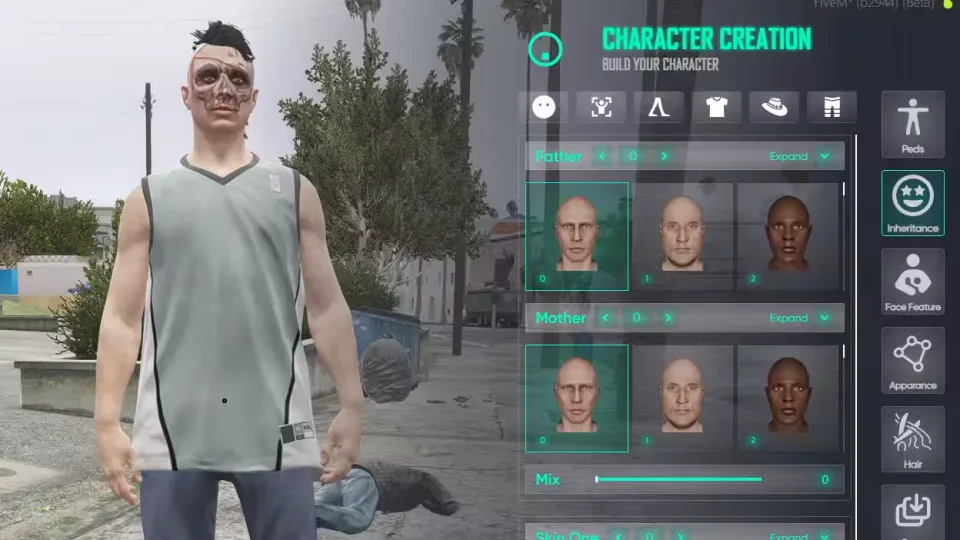
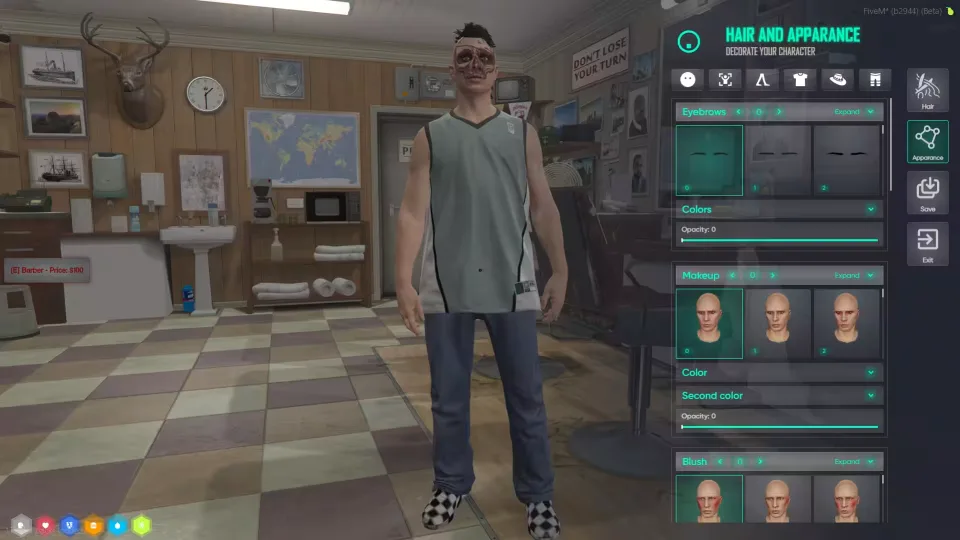
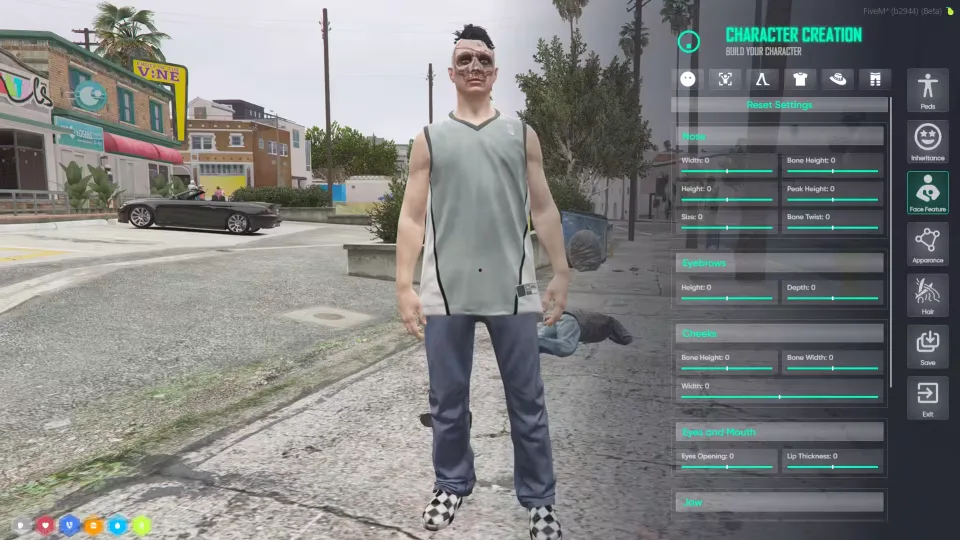
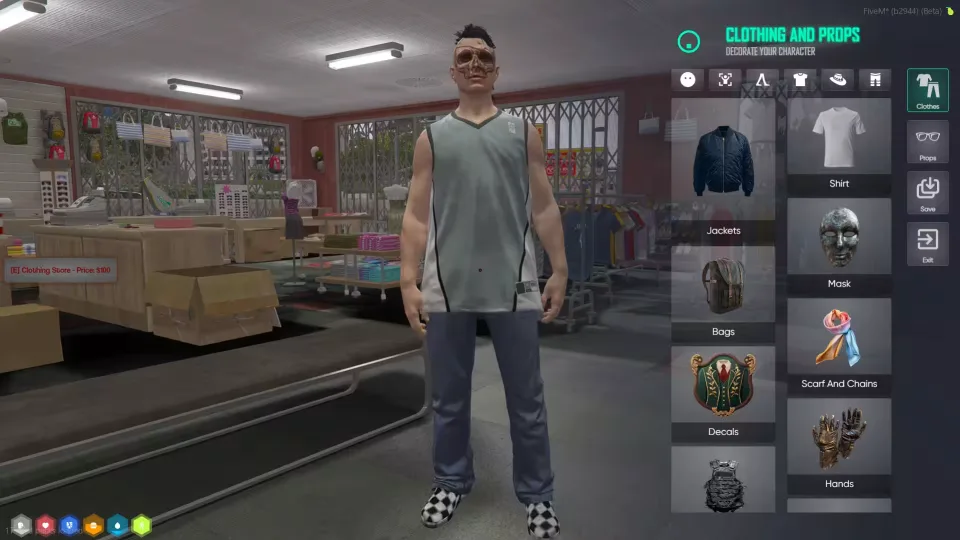
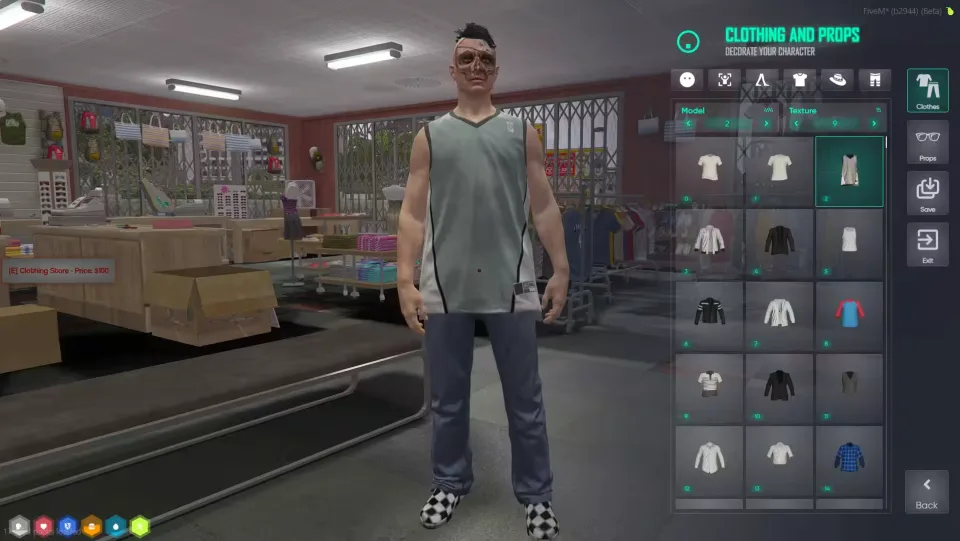
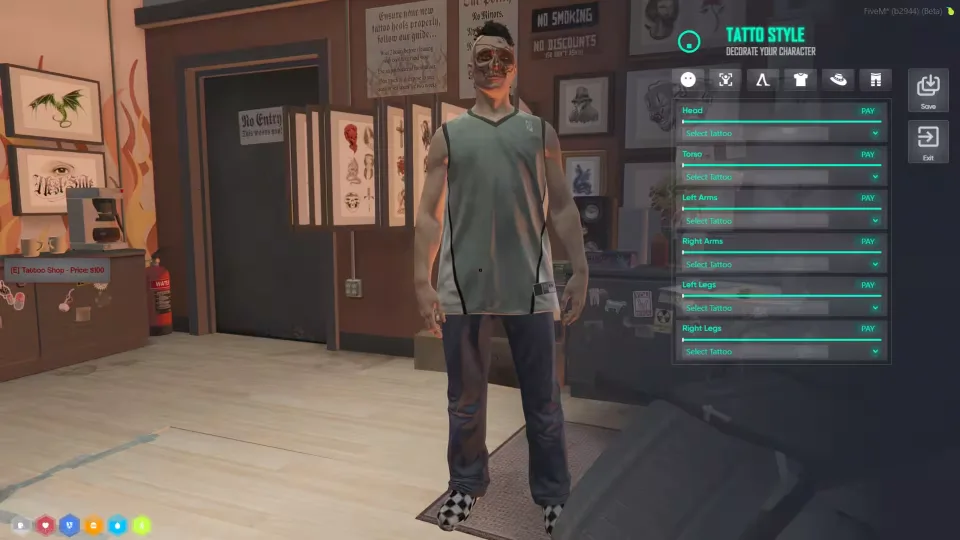
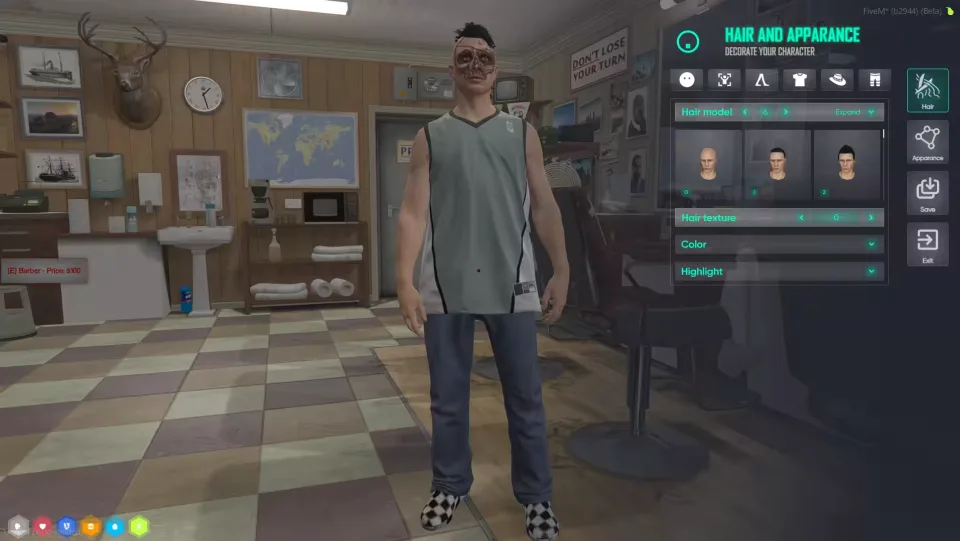
Illenium Appearance Reskin (NoPixel Inspired)
A NoPixel style reskin of illenium-appearance with the UI rebuilt on ox_lib. It takes over your whole character customization stack in one install: on a qb-core server it replaces qb-clothing and other clothing resources, on ESX it stands in for esx_skin, skinchanger, esx_clotheshop, esx_barbershop and the rest of your clothing related scripts.
Outfits and clothing rooms
- Player outfits, plus player specific outfit locations restricted via CitizenID
- Rank based clothing rooms for jobs and gangs
- Job and gang locked stores
- Job and gang clothes persist through reconnects and logouts
Character customization
- Tattoo support
- Hair textures
- Makeup secondary color
- Plastic surgeons
Admin and setup
- Skin migration support from qb-clothing, old fivem-appearance, esx_skin and illenium-appearance
- Polyzone support
/pedmenucommand (configurable) and/reloadskincommand- Improved code quality
Dependencies
- qb-core or es_extended
- ox_lib
- ox_target or qb-target (optional)
Product information
Compatibility, delivery and setup
Check these listing details against your server before checkout. The documentation supplied with the download is the source of truth for exact dependencies, file names and configuration.
Compatibility
- Resource type
- FiveM script
- Category
- ESX Scripts
- Creator
- Not listed
Order details
- Price
- $25.00
- Delivery
- Unique download link sent by email after checkout
- Sold by
- CFX Tebex Store Official
- Updates
- Lifetime updates included
Installation checklist
Start with the files and readme included with this product.
-
Match the requirements
This listing names esx, qbcore, qbox support. Check the description and readme for required inventory, target, library, database or map resources.
-
Keep the supplied names and order
Do not guess or rename the resource folder. Use the dependency order, config values, SQL and item definitions supplied in the download when they are present.
-
Start it after its dependencies
Upload the folder to
resources/, then addensure <download-folder>toserver.cfgusing the exact downloaded folder name. -
Test before going live
Start it on a development server, check the console for missing dependencies, then test every action described on this page with the integrations used by your live server.
Write a review
Reviews are moderated before appearing. Purchased the product? Your review gets a VERIFIED badge automatically.

![QBCore Framework V7 [NoPixel 4.0] FiveM Script](/uploads/card/84a71562889ba86fc8a5c0f594bd8abb.webp)


