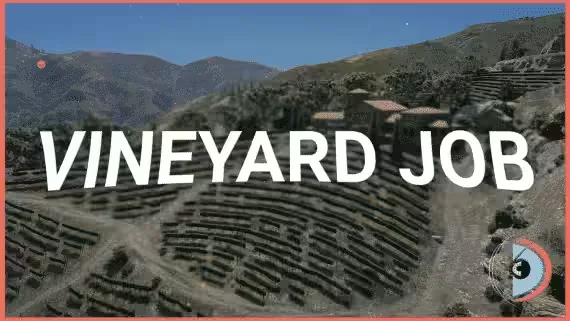
Vineyard Job
A complete winemaking job for FiveM roleplay servers. Players work the entire chain themselves, from cutting grapes off the vine to sticking labels on finished bottles. Works on ESX, QBCore and Qbox.
The winemaking cycle
- Harvest: gather grapes from designated vineyard rows. Each row carries its own grape count based on its length, and scissors speed up the cutting.
- Crush: process the harvest alone, or team up with one or two friends to get through it faster.
- Blend: combine two different types of crushed grapes into premium blends that sell for more.
- Ferment: barrels track how much you load in and apply realistic time multipliers to the batch.
- Bottle: fill the wine, wash dirty bottles, then label everything and get it ready for sale.
Selling the wine
You get two routes to market. Sell quickly at the vineyard for a low profit, or find customers, package their orders and deliver them yourself. Deliveries pay out on distance bonuses and order size, so the long hauls with big orders are where the money is. On top of that, a dynamic pricing system moves prices with market demand and customer preferences.
Under the hood
- Exploit protection: built-in safeguards keep the job secure against server exploits.
- Config file: every part of the job is editable in an easy config.
- Interaction support: qb-target, ox_target and qtarget for targeting; qb-menu, ox_lib context menu and nh-context for menus; qb-input, ox_lib input menu and nh-keyboard for inputs.
Every step asks the player for a decision, which grape types to blend, how long to ferment, sell now or deliver, and that keeps the job worth running past the first payday.
Product information
Compatibility, delivery and setup
Check these listing details against your server before checkout. The documentation supplied with the download is the source of truth for exact dependencies, file names and configuration.
Compatibility
- Resource type
- FiveM script
- Category
- d3MBA Store
- Creator
- Not listed
Order details
- Price
- $20.00
- Delivery
- Unique download link sent by email after checkout
- Sold by
- CFX Tebex Store Official
- Updates
- Lifetime updates included
Installation checklist
Start with the files and readme included with this product.
-
Match the requirements
This listing names esx, qbcore, qbox support. Check the description and readme for required inventory, target, library, database or map resources.
-
Keep the supplied names and order
Do not guess or rename the resource folder. Use the dependency order, config values, SQL and item definitions supplied in the download when they are present.
-
Start it after its dependencies
Upload the folder to
resources/, then addensure <download-folder>toserver.cfgusing the exact downloaded folder name. -
Test before going live
Start it on a development server, check the console for missing dependencies, then test every action described on this page with the integrations used by your live server.
Write a review
Reviews are moderated before appearing. Purchased the product? Your review gets a VERIFIED badge automatically.


