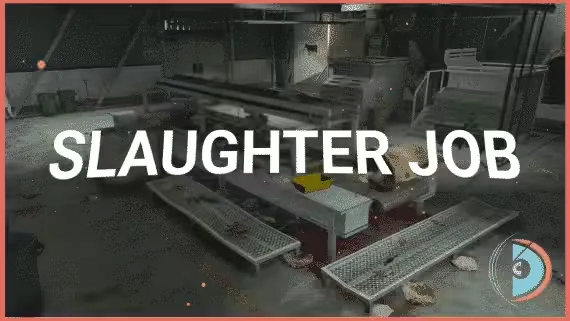
Real Processing Slaughter House Job
A full butcher career for your server, from lassoing the first cow to arguing over the price of ground beef. Works on ESX and QBCore/QBOX, and hooks into your existing target and menu resources instead of forcing new ones.
The Slaughtering Cycle
Players start by catching cows, and their catch success rate climbs as they gain experience. Before any knife work they change into a job uniform for safety and hygiene, then slaughter the animal with a slaughter knife, wash the carcass at the washing station, and run it through the cutting machine. That yields eight distinct products: ribeye, sirloin, brisket, tenderloin, chuck, shank, kidneys and bone marrow. Grinding the meat afterwards raises its market value again.
Two Ways to Sell
The direct sale is fast and pays low. The delivery route takes more time and pays for it: players find customers, pack their orders, and drive them out, with selling prices influenced by both the distance travelled and the size of the order.
Dynamic Pricing
Set pricing that moves with market needs, so the economy around the slaughterhouse stays in your hands and players have room to expand their profit margins.
Built for Your Setup
- Menus: qb-menu, ox_lib context menu, nh-context
- Targets: qb-target, ox_target, qtarget
- Inputs: qb-input, ox_lib input menu, nh-keyboard
Every feature is adjustable through a simple config file, and in-built exploit protection keeps the job from being farmed by cheaters.
At every stage, from catching to grinding to choosing how to sell, players make strategic decisions that change what they earn. It is a detailed butchering roleplay scenario, not another press E and wait job.
Product information
Compatibility, delivery and setup
Check these listing details against your server before checkout. The documentation supplied with the download is the source of truth for exact dependencies, file names and configuration.
Compatibility
- Resource type
- FiveM script
- Category
- d3MBA Store
- Creator
- Not listed
Order details
- Price
- $15.00
- Delivery
- Unique download link sent by email after checkout
- Sold by
- CFX Tebex Store Official
- Updates
- Lifetime updates included
Installation checklist
Start with the files and readme included with this product.
-
Match the requirements
This listing names esx, qbcore, qbox support. Check the description and readme for required inventory, target, library, database or map resources.
-
Keep the supplied names and order
Do not guess or rename the resource folder. Use the dependency order, config values, SQL and item definitions supplied in the download when they are present.
-
Start it after its dependencies
Upload the folder to
resources/, then addensure <download-folder>toserver.cfgusing the exact downloaded folder name. -
Test before going live
Start it on a development server, check the console for missing dependencies, then test every action described on this page with the integrations used by your live server.
Write a review
Reviews are moderated before appearing. Purchased the product? Your review gets a VERIFIED badge automatically.


![Full Drugs Package [Processing + Sales] - CFX Tebex Store Official](/uploads/card/896d55a9939cb8f22aece1caf2e14787.webp)