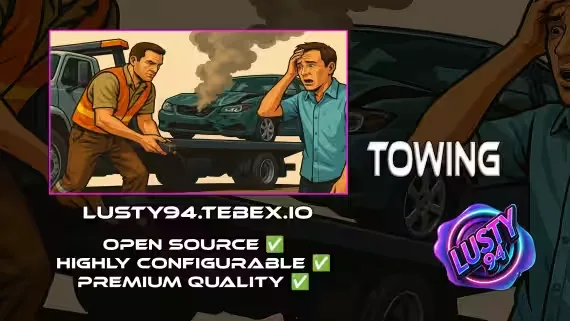
Free Towing Job Script
A free towing job for FiveM built on qb-core and ox_lib. Tow drivers pick up NPC missions or answer real player callouts, haul vehicles on flatbed-style trailers, then bill the customer through an interactive UI. Everything runs through configurable tow locations, so you can add as many depots and tow trucks as your server needs.
Modular Tow Locations
- Fully configurable tow points with props, blips, spawn coords, job restrictions, and tow vehicle options
- Add as many custom locations and vehicles as needed
- Attachable ramps, adjustable per vehicle
- Blacklist support for specific vehicle models
Trailer Support
- Define towable trailers with custom ramp settings and vehicle blacklists
- Flatbed-style trailers for RP hauling
Player Tow Requests
Civilians call for a tow with /requesttow. Tow drivers get an alert with GPS, and /towaccept shows every open call, so player-to-player towing works without a dispatcher.
NPC Towing Missions
Earn cash from NPC missions with named peds and randomized vehicles. Tow the vehicle to the correct location and deliver it to get paid. Payment amounts, destinations and more are configurable.
Billing System
Send interactive bills to customers with /towbilling. Choose whether funds go to the player or the society account, with optional commission. Includes a confirmation UI and payment validation.
Player Commands
/requesttow: civilians request a tow/towrequests: tow drivers see available jobs/towbilling: bill customers for services/npctowingand/cancelnpctowing: toggle NPC missions
Security
- Server-side distance checks on every interaction
- Optional kick on invalid interaction attempts
- Toggleable logging through fm-logs or a Discord webhook
Developer & Debug Tools
- Debug mode with zone and event prints
- Modular structure for simple expansion
Ready for RP Servers
Add unlimited towing jobs or public towing points, enable trailer hauling if you want it, and run it alongside your mechanic or police jobs.
Supported Scripts
Some experimental support for third-party creators is included.
Notifications: qb-core notify, okokNotify, mythic_notify, ox_lib, qs-notify (experimental, not tested)
Targets: qb-target, ox_target
Inventories: qb-inventory, ox_inventory, qs-inventory (experimental, not tested)
Banking: qb-banking, okokBanking, renewed-banking, wasabi_banking, tgg_banking, fd_banking
Vehicle keys: qb-vehiclekeys, cd_garage, plus okokgarage, qs-vehiclekeys and jacksam-vehiclekeys (experimental, not tested)
Fuel: LegacyFuel, ps-fuel, cdn_fuel, okokGasStation, renewed-fuel, rcore_fuel
Dependencies
- qb-core
- ox_lib
- qb-target or ox_target, or add your own support for other scripts
- qb-inventory, ox_inventory or qs-inventory, or add your own support
- qb-vehiclekeys or a supported keys script
- qb-banking or a supported banking script
- LegacyFuel or a supported fuel script
Product information
Compatibility, delivery and setup
Check these listing details against your server before checkout. The documentation supplied with the download is the source of truth for exact dependencies, file names and configuration.
Compatibility
- Resource type
- FiveM script
- Category
- ESX Scripts
- Creator
- Not listed
Order details
- Price
- FREE
- Delivery
- Unique download link sent by email after checkout
- Sold by
- CFX Tebex Store Official
- Updates
- Lifetime updates included
Installation checklist
Start with the files and readme included with this product.
-
Match the requirements
This listing names esx, qbcore, qbox support. Check the description and readme for required inventory, target, library, database or map resources.
-
Keep the supplied names and order
Do not guess or rename the resource folder. Use the dependency order, config values, SQL and item definitions supplied in the download when they are present.
-
Start it after its dependencies
Upload the folder to
resources/, then addensure <download-folder>toserver.cfgusing the exact downloaded folder name. -
Test before going live
Start it on a development server, check the console for missing dependencies, then test every action described on this page with the integrations used by your live server.
Write a review
Reviews are moderated before appearing. Purchased the product? Your review gets a VERIFIED badge automatically.


