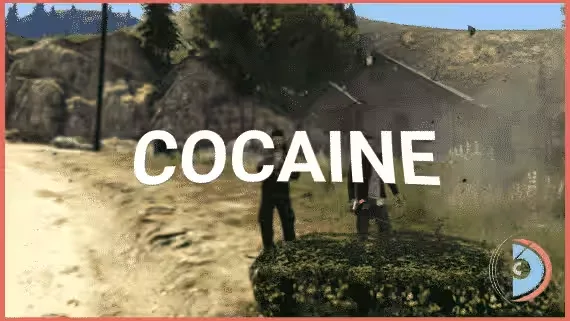
Free Cocaine Script for ESX, QBCore and Qbox
A complete cocaine production chain you can drop on your server without spending anything. Players start in a leaf field and finish with baggies in their pockets, and there are real ways to lose the product along the way. Hooks into ox_lib context menus, qb-menu, nh-context, ox_target, qtarget, qb-target and others.
From Leaf to Baggie
- Field work: gather cocaine leaves until you have 25, then build a pile. Any player can set that pile on fire, so walking away from unattended product is a genuine gamble.
- Cementing: mulch the pile, sprinkle it with cement, and wait out a configurable timer before extracting the cocaine from the cemented leaves.
- Barrel and filter: make a mix in a barrel and filter it down to cocaine paste.
- Microwave stage: cook the paste into a brick. Overcook it or fail the microwave mini-game and it explodes.
- Cutting and bagging: break the brick into powder, stretch your yield by mixing in other ingredients, then package the powder into drug bags to produce cocaine baggies.
Speed Boost on Use
Using a baggy triggers a speed boost that lets players run faster. How strong the effect is comes down to a single config value.
Admin Cleanup Tools
Commands give you information about every spawned cocaine pile and let you delete unwanted ones. The built-in admin menu goes further, showing all spawned piles in real time so you can delete them, teleport to them, and more.
Where Processing Is Allowed
Piles can only be built on specific ground materials, not anywhere on the map. Blacklist zones block all processing actions inside areas you define, so nobody is cooking bricks outside the police station.
Customization
Every feature above is adjusted through one config file.
Dependencies
- d3MBA-lib: included, open source
Performance
Fully optimized, running at 0.00ms.
Product information
Compatibility, delivery and setup
Check these listing details against your server before checkout. The documentation supplied with the download is the source of truth for exact dependencies, file names and configuration.
Compatibility
- Resource type
- FiveM script
- Category
- d3MBA Store
- Creator
- Not listed
Order details
- Price
- FREE
- Delivery
- Unique download link sent by email after checkout
- Sold by
- CFX Tebex Store Official
- Updates
- Lifetime updates included
Installation checklist
Start with the files and readme included with this product.
-
Match the requirements
This listing names esx, qbcore, qbox support. Check the description and readme for required inventory, target, library, database or map resources.
-
Keep the supplied names and order
Do not guess or rename the resource folder. Use the dependency order, config values, SQL and item definitions supplied in the download when they are present.
-
Start it after its dependencies
Upload the folder to
resources/, then addensure <download-folder>toserver.cfgusing the exact downloaded folder name. -
Test before going live
Start it on a development server, check the console for missing dependencies, then test every action described on this page with the integrations used by your live server.
Write a review
Reviews are moderated before appearing. Purchased the product? Your review gets a VERIFIED badge automatically.


