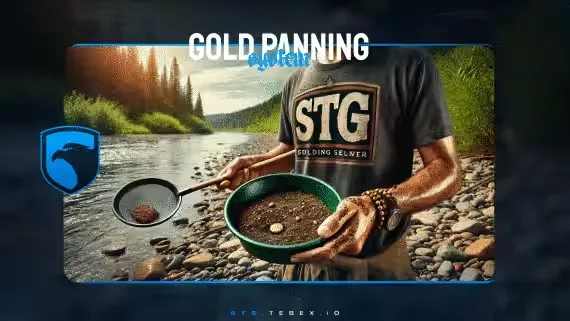
Gold Panning Job for FiveM
Send your players out of the city and into the rivers. This gold panning script adds a full mining loop as a roleplay activity: collect water, work the pan, purify your finds on a placed table, then sell the nuggets to an NPC for in-game money. Nugget yields are randomized on every attempt, so a good haul actually feels earned and the activity holds up to repeat runs.
How the Loop Works
- Water collection: gather water from rivers to start the panning process.
- Panning: search the river for gold nuggets, with chance-based success on each attempt.
- Purification: place a table and interact with it to purify your gold before selling.
- Selling: hand your nuggets to a designated NPC and walk away with cash.
Features
- Interactive tutorial: a step-by-step guide walks new players through their first pan.
- Randomized rewards: nugget amounts vary per attempt to keep the grind interesting.
- Customizable blips: map markers for panning spots and the selling NPC, placed where you want them.
- Animations throughout: dedicated animations for water collection, panning, and selling.
- Sound effects: audio for notifications and the panning process itself.
- Localized messages: multi-language support so non-English players are not left guessing.
A self-contained money-making activity that gives your server something to do beyond the usual city jobs.
Product information
Compatibility, delivery and setup
Check these listing details against your server before checkout. The documentation supplied with the download is the source of truth for exact dependencies, file names and configuration.
Compatibility
- Resource type
- FiveM script
- Category
- ESX Scripts
- Creator
- Not listed
Order details
- Price
- $10.00
- Delivery
- Unique download link sent by email after checkout
- Sold by
- CFX Tebex Store Official
- Updates
- Lifetime updates included
Installation checklist
Start with the files and readme included with this product.
-
Match the requirements
This listing names esx, qbcore, qbox support. Check the description and readme for required inventory, target, library, database or map resources.
-
Keep the supplied names and order
Do not guess or rename the resource folder. Use the dependency order, config values, SQL and item definitions supplied in the download when they are present.
-
Start it after its dependencies
Upload the folder to
resources/, then addensure <download-folder>toserver.cfgusing the exact downloaded folder name. -
Test before going live
Start it on a development server, check the console for missing dependencies, then test every action described on this page with the integrations used by your live server.
Write a review
Reviews are moderated before appearing. Purchased the product? Your review gets a VERIFIED badge automatically.


