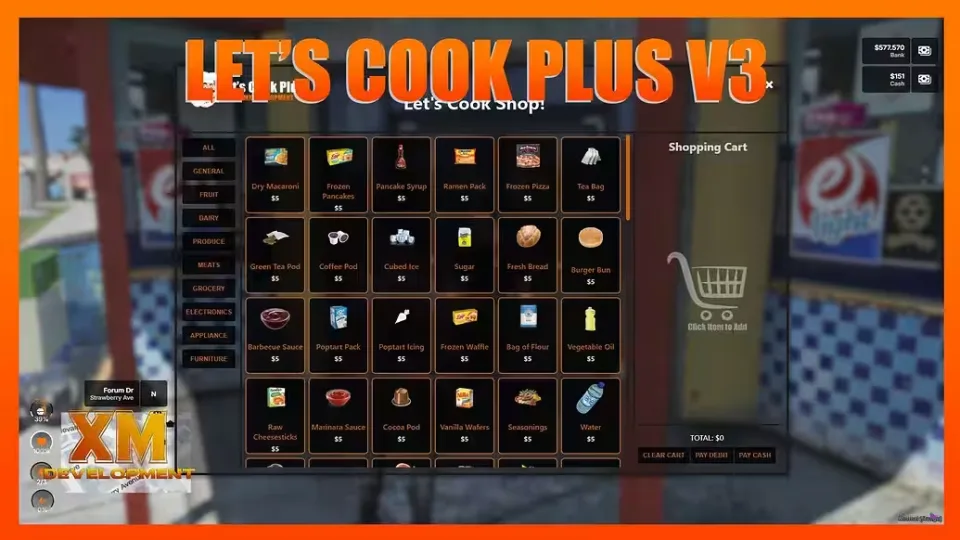
Lets Cook Plus is a crafting script wrapped in custom menu and shop UIs, and it covers far more than food. Props can be used as items, and extras like useable printers and music speakers give players more to mess with between crafts.
Crafting Features
- Food and drinks crafting
- Items and drug crafting
- Moonshine crafting
- Weapons, attachments and ammo crafting (Plus! feature)
- Minigame option for every crafting event listed above (Plus! feature)
- Consumable rewards when eating or drinking crafted items, used in weapons, attachment and ammo crafting (Plus! feature)
- Minigame failure option for moonshine crafting, the still explodes (Plus! feature)
- Minigame failure option for weapons, attachments and ammo crafting, you lose the craft bench (Plus! feature)
- Police alerts for moonshining and weapons manufacturing (Plus! feature)
- Add your own custom items (foods, drinks, weapons, ammo and more), basic Lua knowledge required
- Supports three target systems: qb-target, ox_target and qtarget
- The script is widely open and customizable
Cooking at Home
Players can prepare meals at their homes or anywhere there's an appliance. Ingredients come from a store configured in qb-shops, so nobody has to sit around waiting for a restaurant to open. They grab what they need and cook a proper meal at home.
Entertaining friends? Third eye the barbecue grill for everything a backyard barbecue needs: barbecue ribs, BBQ chicken, steaks, even grilled corn on the cob. Got a toaster oven? Make a cheesy grilled cheese toastie right at home. Something quick? Third eye the microwave and heat it up. Most appliances work, just third eye them: coffee makers, food processors, juicers, stoves, pots, pans, even griddles. More target appliances can be added in the config.lua file.
Dependencies
- ox_lib
- xmmx_bridge (included)
- xmmx_keysgame (optional, but included)
The xmmx_bridge resource handles integration into any framework, inventory and target system.
Product information
Compatibility, delivery and setup
Check these listing details against your server before checkout. The documentation supplied with the download is the source of truth for exact dependencies, file names and configuration.
Compatibility
- Resource type
- FiveM script
- Category
- ESX Scripts
- Creator
- Not listed
Order details
- Price
- $15.00
- Delivery
- Unique download link sent by email after checkout
- Sold by
- CFX Tebex Store Official
- Updates
- Lifetime updates included
Installation checklist
Start with the files and readme included with this product.
-
Match the requirements
This listing names esx, qbcore, qbox support. Check the description and readme for required inventory, target, library, database or map resources.
-
Keep the supplied names and order
Do not guess or rename the resource folder. Use the dependency order, config values, SQL and item definitions supplied in the download when they are present.
-
Start it after its dependencies
Upload the folder to
resources/, then addensure <download-folder>toserver.cfgusing the exact downloaded folder name. -
Test before going live
Start it on a development server, check the console for missing dependencies, then test every action described on this page with the integrations used by your live server.
Write a review
Reviews are moderated before appearing. Purchased the product? Your review gets a VERIFIED badge automatically.


