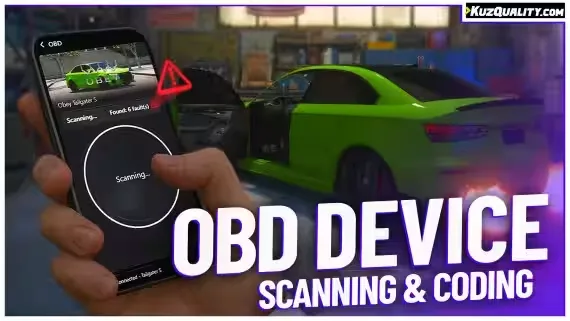
Plug an OBD scanner into any car on your server and it starts talking: stored fault codes, live engine data, and hidden software options you can toggle on the spot. This free OBD device runs fully standalone, or plug-and-play alongside popular phone scripts.
What the device does
- Realistic OBD device UI: scan tool interface styled after the real thing
- Fault scanning: read stored faults from any vehicle, with a pre-made logging system that ships with 10+ faults
- Custom faults via export: register your own faults from external scripts, useful for damage or mechanic systems you already run
- Vehicle coding: apply hidden software mods, pick from 15+ pre-made options and add your own easily
- Live data: monitor your car's readouts in real time
- t1ger_mechanic: official integration with the mechanic script
- Phone support built in: works with lb-phone, yseries phone, GKSPhone v2 and lb-tablet out of the box
- Full localization: translate anything you'd like
Compatibility
Works on all servers, including ESX, QBCore, QBox, VRP, and servers running no framework at all.
KQ_LINK required
kq_link is our fully open-source bridge that links our resources to whatever framework and dependencies you run, such as inventories, notifications or dispatch systems. It keeps compatibility tight between this device and your server. The list of supported resources is on the GitHub page and in Downloads.
Product information
Compatibility, delivery and setup
Check these listing details against your server before checkout. The documentation supplied with the download is the source of truth for exact dependencies, file names and configuration.
Compatibility
- Resource type
- FiveM script
- Category
- ESX Scripts
- Creator
- Not listed
Order details
- Price
- FREE
- Delivery
- Unique download link sent by email after checkout
- Sold by
- CFX Tebex Store Official
- Updates
- Lifetime updates included
Installation checklist
Start with the files and readme included with this product.
-
Match the requirements
This listing names esx, qbcore, qbox support. Check the description and readme for required inventory, target, library, database or map resources.
-
Keep the supplied names and order
Do not guess or rename the resource folder. Use the dependency order, config values, SQL and item definitions supplied in the download when they are present.
-
Start it after its dependencies
Upload the folder to
resources/, then addensure <download-folder>toserver.cfgusing the exact downloaded folder name. -
Test before going live
Start it on a development server, check the console for missing dependencies, then test every action described on this page with the integrations used by your live server.
Write a review
Reviews are moderated before appearing. Purchased the product? Your review gets a VERIFIED badge automatically.


