Advanced Wheel Boot
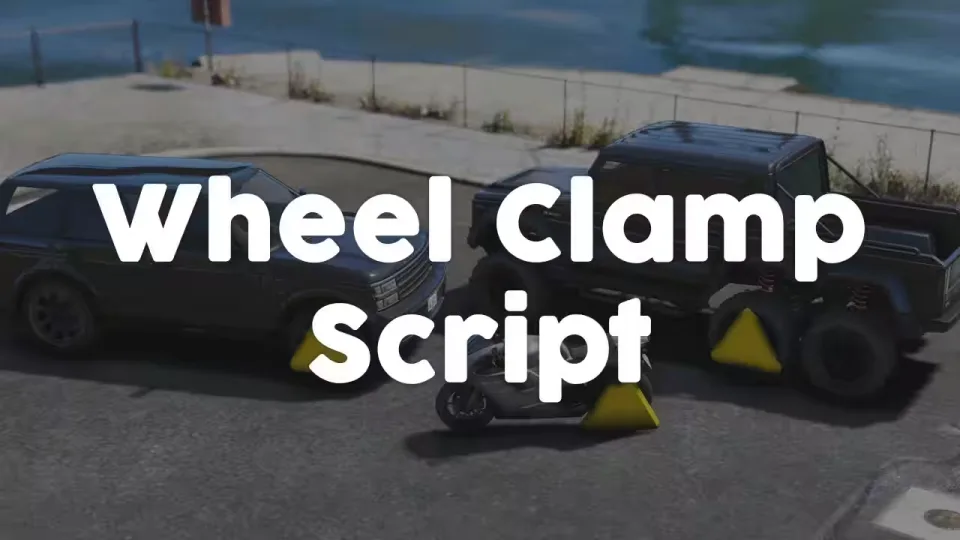
A wheel clamp script for police jobs, parking enforcement and anyone who wants to take a vehicle out of play without towing it. Clamp a wheel, walk away, and let the owner figure out how to get it off.
Clamping
Apply the clamp to any individual wheel through third eye targeting, with ox_target and qb_target supported out of the box. You can require an item, a job, or both before a player is allowed to clamp. Everything is synchronized between all players, and clamping works even while people are sitting inside the vehicle.
Removal
Removal can be locked behind a job requirement, or criminals can pick the clamp off through a lockpicking minigame. The minigame is editable and works out of the box when using ox_lib.
What happens when they drive anyway
Each consequence is optional and configurable:
- Wheel loss: driving on a clamped wheel can make it break off completely
- No steering: a clamp on a front wheel stops the vehicle from steering
- Full immobilization: configure the clamp so the vehicle cannot move at all
Works on odd vehicles too
The script handles vehicles with more or fewer than four wheels, so bikes and 6x6 terrain vehicles clamp correctly.
An unencrypted wheel clamp prop is included in the files, so you can retexture or swap it freely.
Resmon: 0.00ms idle, 0.04ms while driving a clamped vehicle.
Product information
Compatibility, delivery and setup
Check these listing details against your server before checkout. The documentation supplied with the download is the source of truth for exact dependencies, file names and configuration.
Compatibility
- Resource type
- FiveM script
- Category
- ESX Scripts
- Creator
- Not listed
Order details
- Price
- $12.99
- Delivery
- Unique download link sent by email after checkout
- Sold by
- CFX Tebex Store Official
- Updates
- Lifetime updates included
Installation checklist
Start with the files and readme included with this product.
-
Match the requirements
This listing names esx, qbcore, qbox support. Check the description and readme for required inventory, target, library, database or map resources.
-
Keep the supplied names and order
Do not guess or rename the resource folder. Use the dependency order, config values, SQL and item definitions supplied in the download when they are present.
-
Start it after its dependencies
Upload the folder to
resources/, then addensure <download-folder>toserver.cfgusing the exact downloaded folder name. -
Test before going live
Start it on a development server, check the console for missing dependencies, then test every action described on this page with the integrations used by your live server.
Write a review
Reviews are moderated before appearing. Purchased the product? Your review gets a VERIFIED badge automatically.