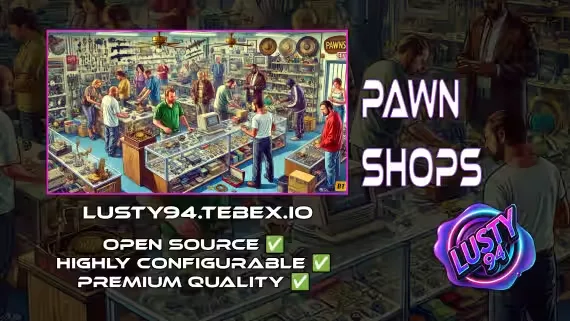
Lusty Pawn Shop
A pawn shop script built for player-to-player trading, flexible enough to run a shady back-alley fence or a clean urban resale chain on the same server. Every shop is its own config entry, so the two can coexist with different prices, different stock lists, and different money types.
Features
- 🏪 Dynamic pawn shops across the map: place as many locations as you want, each paying configurable rates for the items players bring in
- 💸 Three payout types: clean cash, bank deposits, or dirty money, so a licensed storefront and a black market fence can run off the same script
- 🧍 Ped or target zone interactions: use ped NPCs for a classic feel or target zones for a more modern setup. Player-owned shops use their own unique zones instead of peds
- 👑 Player-owned pawn shops: let players buy in, set their own prices, and earn greater returns on item sales than the NPC rate
- 📦 Stash counter system: a dedicated stash zone at the counter where customers drop items off and the owner inspects them before making an offer
- 📋 Per-shop inventory and pricing: full control over what each location buys and what it pays, so no two shops need to feel the same
- 🌍 Infinitely expandable: add new locations anywhere and tune them to your city's economy and lore
- 🛡️ Anti-exploit checks: all events are guarded server side, with optional kick triggers for suspicious activity
Supported Scripts 🤝
Notifications 💬
- qb-core notify ✅
- okokNotify ✅
- mythic_notify ✅
- ox_lib ✅
Targets 🎯
- qb-target ✅
- ox_target ✅
Inventories 📦
- qb-inventory ✅
- ox_inventory ✅
Dependencies ❗
- qb-core
- ox_lib
- qb-target or ox_target
- qb-inventory or ox_inventory
Product information
Compatibility, delivery and setup
Check these listing details against your server before checkout. The documentation supplied with the download is the source of truth for exact dependencies, file names and configuration.
Compatibility
- Resource type
- FiveM script
- Category
- ESX Scripts
- Creator
- Not listed
Order details
- Price
- $10.00
- Delivery
- Unique download link sent by email after checkout
- Sold by
- CFX Tebex Store Official
- Updates
- Lifetime updates included
Installation checklist
Start with the files and readme included with this product.
-
Match the requirements
This listing names esx, qbcore, qbox support. Check the description and readme for required inventory, target, library, database or map resources.
-
Keep the supplied names and order
Do not guess or rename the resource folder. Use the dependency order, config values, SQL and item definitions supplied in the download when they are present.
-
Start it after its dependencies
Upload the folder to
resources/, then addensure <download-folder>toserver.cfgusing the exact downloaded folder name. -
Test before going live
Start it on a development server, check the console for missing dependencies, then test every action described on this page with the integrations used by your live server.
Write a review
Reviews are moderated before appearing. Purchased the product? Your review gets a VERIFIED badge automatically.


