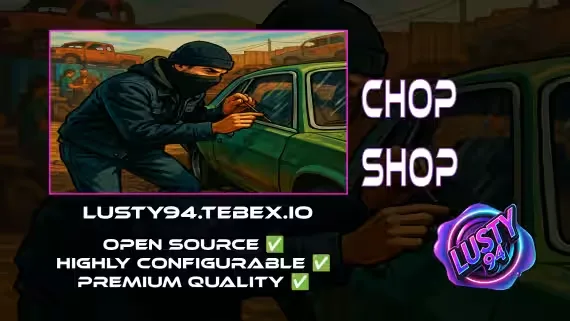
FREE Chop Shop
A free chop shop script where players hunt down target vehicles, haul them to a chop location, and strip them into parts to sell on the underground market. Exports, reputation ranks, and police alerts are all built in and configurable.
Missions
- Chop missions: locate a target vehicle, deliver it to the chop location, and dismantle it into valuable parts. Missions can roll normal or rare vehicles.
- Export missions: find and deliver a high-value export vehicle within a time limit for big rewards. Exports are gated behind configurable reputation ranks.
- Cooldowns: a cooldown runs before players can request their next chop or export mission.
- Police alerts: configurable chance of a police notification when a mission fails.
- Mini-games: integrated mini-games for missions and rare vehicles, tied to vehicle type and fully customizable.
Dismantling and Selling
- Each vehicle breaks down into multiple configurable parts.
- Parts can roll as damaged and yield fewer materials.
- Parts can hide special rare items, an engine may contain a Performance ECU.
- Part removal plays out through configurable props and vehicle bones.
- Once a vehicle is stripped, an NPC flatbed driver collects the shell and pays out for the remaining parts.
- Recovered materials and rare parts sell directly to the chop shop ped.
Reputation
- Configurable ranks required to unlock export missions.
- Adjustable reputation point rewards per mission.
- Admins can view global player stats for every chop shop a player holds reputation with.
Full Chop Shop Control
- Set vehicle spawn locations, delivery zones, and mission timers.
- Define which parts each vehicle yields and which items come out of dismantling them.
- Player commands to remove props, cancel chop or export missions, and display chop shop ranks.
Supported Scripts
Some experimental support for third party scripts is included.
- Notifications: qb-core notify, okokNotify, mythic_notify, ox_lib, qs-notify (experimental, not tested)
- Targets: qb-target, ox_target
- Inventories: qb-inventory, ox_inventory, qs-inventory (experimental, not tested)
- Police: qb-policejob, ps-dispatch, plus qs-dispatch and cd_dispatch (experimental, not tested)
- Keys: qb-vehiclekeys, cd_garage, plus okokgarage and jacksam-vehiclekeys (experimental, not tested)
Dependencies
- qb-core
- ox_lib
- oxmysql
- bl_ui
- qb-banking or supported scripts
- qb-target or ox_target, or add your own support for other scripts
- qb-inventory, ox_inventory, or qs-inventory, or add your own support for other scripts
Product information
Compatibility, delivery and setup
Check these listing details against your server before checkout. The documentation supplied with the download is the source of truth for exact dependencies, file names and configuration.
Compatibility
- Resource type
- FiveM script
- Category
- ESX Scripts
- Creator
- Not listed
Order details
- Price
- FREE
- Delivery
- Unique download link sent by email after checkout
- Sold by
- CFX Tebex Store Official
- Updates
- Lifetime updates included
Installation checklist
Start with the files and readme included with this product.
-
Match the requirements
This listing names esx, qbcore, qbox support. Check the description and readme for required inventory, target, library, database or map resources.
-
Keep the supplied names and order
Do not guess or rename the resource folder. Use the dependency order, config values, SQL and item definitions supplied in the download when they are present.
-
Start it after its dependencies
Upload the folder to
resources/, then addensure <download-folder>toserver.cfgusing the exact downloaded folder name. -
Test before going live
Start it on a development server, check the console for missing dependencies, then test every action described on this page with the integrations used by your live server.
Write a review
Reviews are moderated before appearing. Purchased the product? Your review gets a VERIFIED badge automatically.


