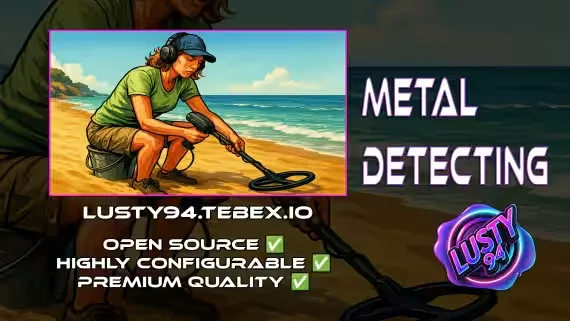
Metal Detecting
Grab a metal detector and a rake, pick a beach, and start sweeping. Scan the ground for buried items, dig them up, and sell what you find. The detector has a chance to overheat while you work, and sound cues can play when something turns up (requires INTERACT-SOUND, toggleable in config).
8 Pre-Defined Detecting Locations
- 🏖️ Vespucci Beach
- 🎡 Vespucci Pier Beach
- 🌊 Great Ocean Highway Beach
- 🏞️ Zancudo Swamp
- 🏝️ Paleto Beach
- ✈️ Los Santos Airport Beach
- 🚢 Cypress Flats Beach
Every zone can be moved or edited in the config file, and you can add your own.
Find & Sell 20 Unique Items
12 Common Items: everyday finds with varied values. Coins, Pull Tab, Aluminum Can, Tin Can, Keys, Rusty Nail, Bottle Cap, Cutlery, Belt Buckle, Bullet Casings, Metal Chain, Metal Scrap.
8 Rare Items: valuable finds for lucky hunters. Gold Ring, Gold Watch, Silver Watch, Silver Necklace, Ancient Coin, Gold Nugget, Pocket Watch, Diamond Ring.
New discoverable and sellable items can be added straight in the config.
Fully Customizable & Secure
- Extensive config file: adjust loot rates, detection mechanics, and more to suit your server
- Secure server events: item checks prevent abuse and exploits
- Move or add locations: modify all detecting zones via the config
- Custom items: configure new discoverable and sellable items
Compatibility
Notifications 💬: qb-core notify, okokNotify, mythic_notify, ox_lib
Targets 🎯: qb-target, ox_target
Inventories 📦: qb-inventory, ox_inventory
Dependencies ❗
- qb-core
- qb-target
- qb-inventory
- polyzone
- ox_lib
Product information
Compatibility, delivery and setup
Check these listing details against your server before checkout. The documentation supplied with the download is the source of truth for exact dependencies, file names and configuration.
Compatibility
- Resource type
- FiveM script
- Category
- ESX Scripts
- Creator
- Not listed
Order details
- Price
- $9.00
- Delivery
- Unique download link sent by email after checkout
- Sold by
- CFX Tebex Store Official
- Updates
- Lifetime updates included
Installation checklist
Start with the files and readme included with this product.
-
Match the requirements
This listing names esx, qbcore, qbox support. Check the description and readme for required inventory, target, library, database or map resources.
-
Keep the supplied names and order
Do not guess or rename the resource folder. Use the dependency order, config values, SQL and item definitions supplied in the download when they are present.
-
Start it after its dependencies
Upload the folder to
resources/, then addensure <download-folder>toserver.cfgusing the exact downloaded folder name. -
Test before going live
Start it on a development server, check the console for missing dependencies, then test every action described on this page with the integrations used by your live server.
Write a review
Reviews are moderated before appearing. Purchased the product? Your review gets a VERIFIED badge automatically.


