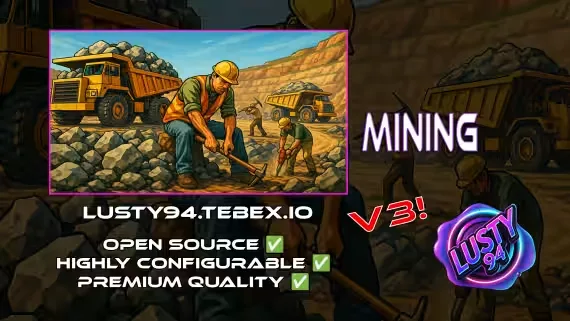
Mining Job V3
An open source mining job built around a full production chain: mine rocks, pan stone for ore, smelt it with coal, craft jewelry at the bench, and sell the results. Two zones ship ready to go, Davis Quarry and the Chaparral Mineshaft, and the config lets you add unlimited locations of your own, each with its own smelting, crafting, delivery, XP and quest setup.
The mining loop
- Rock mining: break rocks for stone, with a rare chance of black stone.
- Stone panning: pan your stone in the panning zone to extract ores with randomized rewards.
- Furnace smelting: burn coal to turn ores into usable ingots.
- Crafting bench: combine materials into jewelry and items using defined recipes.
- Selling ped: offload crafted items, jewels and raw minerals.
- Coal delivery missions: haul coal sacks for extra income, so coal has a use beyond the furnace.
- Uncut gemstones: panning can turn up uncut jewels that need cracking before they become valuables.
- Black stone processing: run black stone down conveyor belts to extract high-value rare minerals, complete with custom props and particle effects.
Progression
- Optional XP system: grinding raises your mining and panning rewards over time.
- Quest system: goals like mining 1000 rocks pay out cash, items, or both. A progress UI shows rewards and tracks unlocked, completed and claimed states.
- Leaderboard: XP, ores mined and player rankings, viewable via command or the ped menu.
World and immersion
- Placeable portable furnaces and benches, or static workstations if you prefer fixed spots.
- Configurable dynamic light props for night-time mining underground and in the mineshaft.
- Optional work uniform to change into at the mining ped.
- Pickaxes and pans bought from the ped, each with a chance to break.
- Rock props respawn automatically on a configurable timer, 60 minutes by default.
- Custom props for rocks, panning, smelting and more from Bzzz, the queen of FiveM props.
For server owners
Fully open source, so you can edit, extend or rework any part of the system. Built-in debug notifications and an admin command to view cooldowns make testing easier, and it is designed to plug into your preferred job, crafting or prop systems. Optional logging runs through fm-logs (preferred) or Discord webhooks.
Supported scripts
Some experimental support for third party creators is included.
Notifications: qb-core notify ✅, okokNotify ✅, mythic_notify ✅, ox_lib ✅, qs-notify ⚠️ (experimental, not tested)
Targets: qb-target ✅, ox_target ✅
Inventories: qb-inventory ✅, ox_inventory ✅, qs-inventory ⚠️ (experimental, not tested)
Keys: qb-vehiclekeys ✅, cd_garage ✅, qs-vehiclekeys ⚠️, okokgarage ⚠️, jacksam-vehiclekeys ⚠️ (experimental, not tested)
Clothing: qb-clothing ✅, illenium-appearance ✅
Fuel: LegacyFuel ✅, ps-fuel ✅, cdn_fuel ✅, okokGasStation ✅, renewed-fuel ✅, rcore_fuel ✅
Dependencies
- qb-core
- ox_lib
- oxmysql
- bzzz-miningprops, or change the prop names to base game props or your own
- qb-target or ox_target, or add your own support for other target scripts
- qb-inventory, ox_inventory or qs-inventory, or add your own inventory support
- qb-vehiclekeys or another supported key script
Product information
Compatibility, delivery and setup
Check these listing details against your server before checkout. The documentation supplied with the download is the source of truth for exact dependencies, file names and configuration.
Compatibility
- Resource type
- FiveM script
- Category
- ESX Scripts
- Creator
- Not listed
Order details
- Price
- FREE
- Delivery
- Unique download link sent by email after checkout
- Sold by
- CFX Tebex Store Official
- Updates
- Lifetime updates included
Installation checklist
Start with the files and readme included with this product.
-
Match the requirements
This listing names esx, qbcore, qbox support. Check the description and readme for required inventory, target, library, database or map resources.
-
Keep the supplied names and order
Do not guess or rename the resource folder. Use the dependency order, config values, SQL and item definitions supplied in the download when they are present.
-
Start it after its dependencies
Upload the folder to
resources/, then addensure <download-folder>toserver.cfgusing the exact downloaded folder name. -
Test before going live
Start it on a development server, check the console for missing dependencies, then test every action described on this page with the integrations used by your live server.
Write a review
Reviews are moderated before appearing. Purchased the product? Your review gets a VERIFIED badge automatically.


