

































Debadged Car Pack for FiveM [35 Cars]
**NOTE : This car pack includes DEBADGED cars which comply with latest Rockstar Policy regarding real life brands. You can be assured your server will not get in trouble for using this cars.
THE PICTURES WERE TAKEN BEFORE THE DEBADGE UPDATE.**
Cars which are included :
- Range Rover 2023
- Lamborghini Huracan [45+ Tuning Parts]
- Nissan Z Prototype [50+ Tuning Parts]
- Ferrari 296GTB
- GTR R34
- Porche 911 GT3
- GTR R33 [75+ Tuning Parts]
- WRX STI
- Ford Mustang 2018
- BMW M2 Coupe 2023
- Audi A1
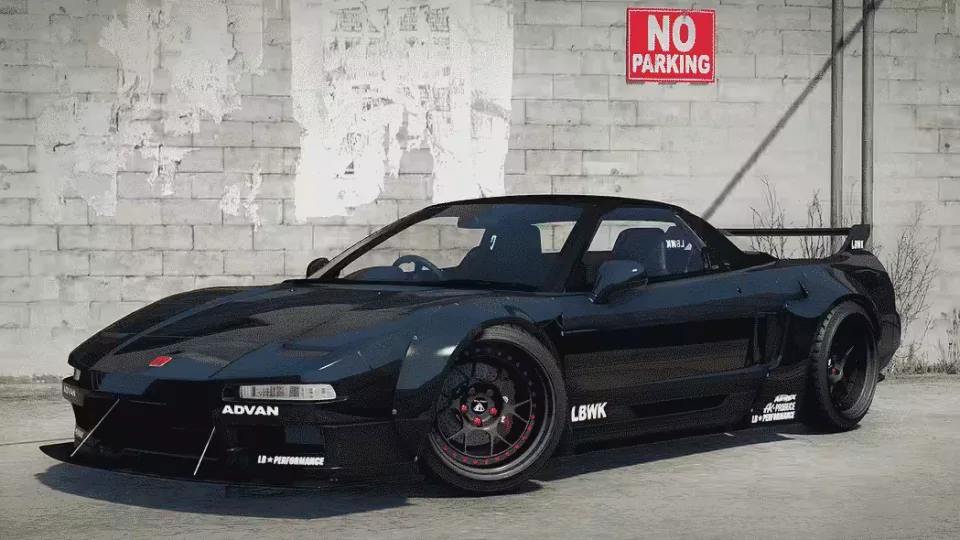
- NSX-R Liberty Walk Edition
- Subaru BRZ TS 2020
- S2000
- Mitsubishi Lancer Evo X
- BMW M3 Touring 2022
- Bentley Bentayga 2018
- Civic 1.5 VTEC
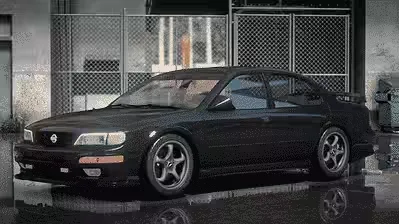
- Nissan Maxima Stillen
- Porche 911 GTRSR Duke Dynamics
- Maz EX8
- Mercedes S63 Coupe
- Mercedes GLS63+ [Brabus Kit + More]
- LCS500 Liberty Walk
- BMW M4 2023 / CSL / M Performance Kit
- BMW M92 [30+ Tuning]
- BMW M3 Competition Widebody
- BMW M5 CS Widebody
- BMW M5 CS
- BMW Z4 Widebody
- BMW Z4
- BMW M2
- Ferrari 812GTS
- Mercedes E63 Brabus Version
- C8 Pandem
- McLaren MCL 650S
- Lamborghini Hursto
- Mercedes A45 Widebody
- Mercedes A45
- Audi R8
Product information
Compatibility, delivery and setup
Check these listing details against your server before checkout. The documentation supplied with the download is the source of truth for exact dependencies, file names and configuration.
Compatibility
- Resource type
- FiveM resource
- Frameworks
- Not listed
- Category
- FiveM Cars
- Creator
- Not listed
Order details
- Price
- $25.00
- Delivery
- Unique download link sent by email after checkout
- Sold by
- CFX Tebex Store Official
- Updates
- Lifetime updates included
Installation checklist
Start with the files and readme included with this product.
-
Match the requirements
No framework support is specified on this listing. Check the description and readme for required inventory, target, library, database or map resources.
-
Keep the supplied names and order
Do not guess or rename the resource folder. Use the dependency order, config values, SQL and item definitions supplied in the download when they are present.
-
Start it after its dependencies
Upload the folder to
resources/, then addensure <download-folder>toserver.cfgusing the exact downloaded folder name. -
Test before going live
Start it on a development server, check the console for missing dependencies, then test every action described on this page with the integrations used by your live server.
Write a review
Reviews are moderated before appearing. Purchased the product? Your review gets a VERIFIED badge automatically.