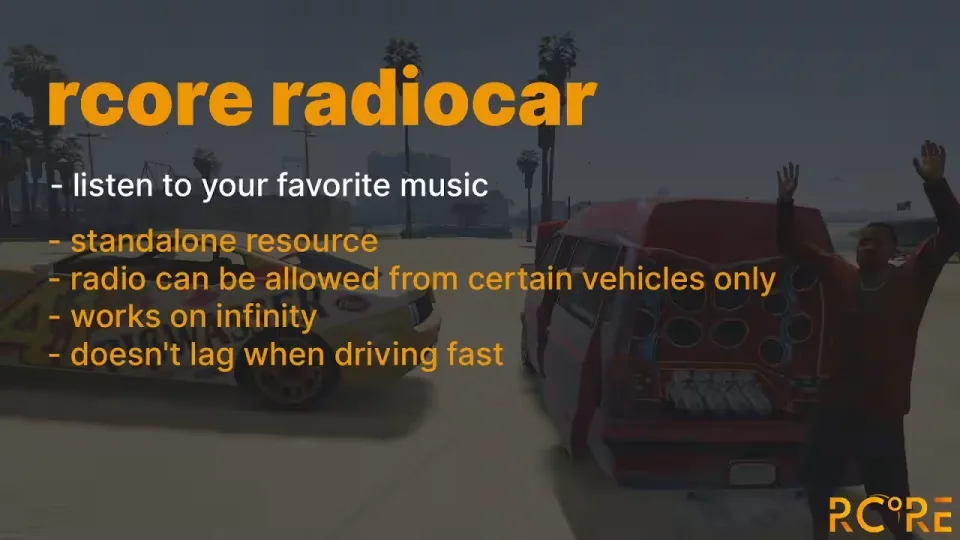
A radio that belongs to the vehicle
Real Car Radio replaces GTA's fixed station rotation with music chosen by the people in the car. Paste a YouTube URL or a direct audio link, seek to a point in the track, and save it to that vehicle's list. When players return to the same car, its music is there waiting for them.
Playback is positioned on the vehicle rather than broadcast across the whole server. You decide how far it carries with the doors shut and how that range changes when a door opens. Individual models can use their own distance, while selected vehicles and interior IDs can skip the environmental effect altogether.
What players can do
- Play YouTube links and direct audio files, including MP3 and OGG
- Save tracks to a specific vehicle and return to them later
- Use a default music list prepared in the configuration
- Move forward or backward within the current track
- Open the radio by keybind or command from the seats you allow
- Use either of the two included radio interface designs, assigned by vehicle
Put access where it makes sense
The radio can be a standard feature in every permitted vehicle or something players acquire in character. The included options support a usable installation item and an in-world purchase marker, so a mechanic shop can sell and fit radios instead of treating them as an invisible menu unlock. The marker can be public or restricted to the jobs you choose.
Server rules remain on the server owner's side. Block individual tracks, vehicle models, or whole classes such as boats and aircraft. Limit control to chosen seats, gate the interface behind an ACE permission, and send usage events to a Discord webhook when you need a record of what was played.
Compatibility and requirements
- Frameworks: ESX, QBCore, Qbox, or standalone
- Sound systems: xsound, high_3dsound, or mx-surround
- Server: OneSync enabled and artifact build 4752 or newer
- Configuration: framework and MySQL driver selected in
config.lua
Install Real Car Radio
- Check the server first. Confirm OneSync is enabled, the server artifact is build 4752 or newer, and your chosen database and sound resources are already running.
- Copy the resource. Extract the download and place the
rcore_radiocarfolder inside your server'sresourcesdirectory. Keep the folder name intact. - Set the integrations. Open
config.lua, choose the correctConfig.FrameworkandConfig.MysqlTypevalues, then finish the sound, control, vehicle, and permission settings for your stack. - Choose the access model. Keep the default in-vehicle keybind, enable command access, or configure the optional item and purchase-marker resources if radios should be installed through gameplay.
- Start it after its dependencies. Add the following line below the database and sound resources in
server.cfg:
ensure rcore_radiocar- Restart and test with two players. Open the radio from a vehicle (the default key is G), play an allowed URL, and check playback both inside and outside the car. Open a door to confirm the distance change, then verify saving, seat restrictions, permissions, and webhook logging before opening access to the full server.
Use the latest build supplied with the purchase. If the console reports a missing dependency, confirm OneSync, the selected sound system, and the start order before changing the radio resource itself.
Product information
Compatibility and order details
Product-specific setup instructions are in the description above. Check these listing details against your server before checkout. The documentation supplied with the download is the source of truth for exact dependencies, file names and configuration.
Compatibility
- Resource type
- FiveM script
- Category
- ESX Scripts
- Creator
- Not listed
Order details
- Price
- $15.00
- Delivery
- Unique download link sent by email after checkout
- Sold by
- CFX Tebex Store Official
- Updates
- Lifetime updates included
Write a review
Reviews are moderated before appearing. Purchased the product? Your review gets a VERIFIED badge automatically.