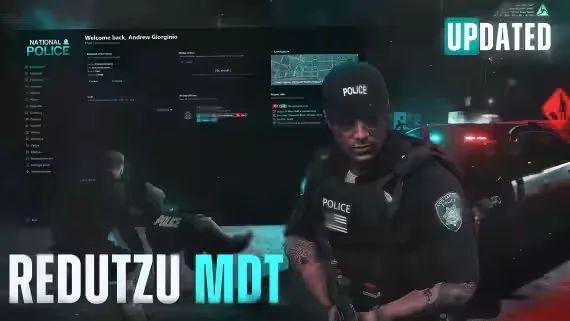
Redutzu-MDT
An MDT lives or dies on how much of a shift it can actually run. Redutzu-MDT covers the whole loop: a call lands on the dashboard, the responding unit shows up on the live map, the arrest gets written into an incident with charges pulled from a standardized penalty list, and the warrant, evidence and case file all end up in the same records system afterward. No tab-hopping between separate scripts.
What officers work with
- Dashboard: active dispatch calls, online officers, live unit tracking on a map, and department chat in one view.
- Records: incidents, warrants, evidence, BOLOs and case files, with collaboration tools so several officers can build the same case together.
- Citizen database: profiles with criminal history, vehicles, weapons and property records in one centralized lookup.
- Vehicle registry: search or track any vehicle, check ownership, flags and related reports; ties into dispatch and BOLOs.
- Charges and fines: standardized charge lists and penalty structures referenced directly while writing reports or processing arrests.
- Officer hub: patrol status, assignments and unit membership for everyone online, used to coordinate with dispatch.
- Announcements: department-wide alerts and internal notifications so the whole force stays current.
What admins control
A secure admin panel manages permissions, department settings, UI themes and the rest of the MDT preferences. Layout, colors, themes and even the UI language are customizable, so the interface matches your server instead of the other way around.
Compatibility
Runs on QBCore, Qbox, ESX or standalone. Billing integrations cover codem_billing, esx_billing and okokBilling. On the dispatch side it works with cd_dispatch, core_dispatch and many others, and housing support includes bcs_housing, loaf_housing and more, so it slots into the infrastructure you already run.
Requirements
- Framework: qb-core, es_extended, qbx_core, or standalone
- Database: oxmysql or mysql-async
- Prop: redutzu-mdt-prop, included with the resource
Product information
Compatibility, delivery and setup
Check these listing details against your server before checkout. The documentation supplied with the download is the source of truth for exact dependencies, file names and configuration.
Compatibility
- Resource type
- FiveM script
- Category
- ESX Scripts
- Creator
- Not listed
Order details
- Price
- $20.00
- Delivery
- Unique download link sent by email after checkout
- Sold by
- CFX Tebex Store Official
- Updates
- Lifetime updates included
Installation checklist
Start with the files and readme included with this product.
-
Match the requirements
This listing names esx, qbcore, qbox support. Check the description and readme for required inventory, target, library, database or map resources.
-
Keep the supplied names and order
Do not guess or rename the resource folder. Use the dependency order, config values, SQL and item definitions supplied in the download when they are present.
-
Start it after its dependencies
Upload the folder to
resources/, then addensure <download-folder>toserver.cfgusing the exact downloaded folder name. -
Test before going live
Start it on a development server, check the console for missing dependencies, then test every action described on this page with the integrations used by your live server.
Write a review
Reviews are moderated before appearing. Purchased the product? Your review gets a VERIFIED badge automatically.