KuzQuality Placeable and Throwable Items
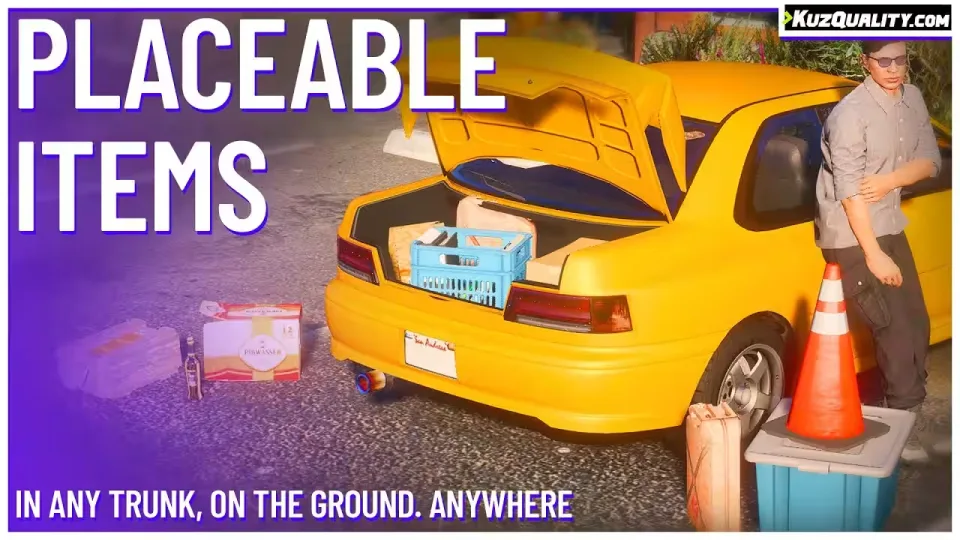
Any item in your players' inventories can become a physical prop in the world. A stash of drugs stops being an invisible row in a menu and becomes a visible object sitting in the bed of a pimped out pickup, right where a passing officer might spot it on their route. Items can still be dropped or given, but now they can also be placed, thrown, and transported in their physical 3D form.
Each item gets its own model defined in the config, and a fallback model system means every inventory item is placeable even if you never assign one. Placement runs through the script's own menu (F4 by default), or you can optionally add a "Place" option to your inventory system.
Vehicle and trunk transport
Place items on a vehicle and they stay attached while you drive. Load them into any trunk, where a custom algorithm predicts the trunk's dimensions to keep placement abuse-free in every vehicle. Picture hauling a large load of weapons in your SUV when police pull you over: will they see anything through the windows? Flip the vehicle and the items fall out.
Persistent items
Items placed on the ground are saved and spawn back after a server restart. When using qb-inventory, item metadata is saved as well.
Ox Inventory integration
With ox_inventory you can run any framework you want, the script just needs ox_inventory itself. It also unlocks extra behaviour:
- Item metadata is saved when placing an item
- Metadata persists between restarts
- Adding a placeable item to ox_inventory is extremely simple
For non ox_inventory setups, you can add the "Place" option to your own inventory system instead.
Feature list
- ESX, QBCore, QBox and ox_inventory support
- Highly optimized code
- Extreme configurability, change the total look and feel of the script
- Placed items are saved and respawn after a server restart
- Ability to place any item, with fallback models covering the rest
- Optional qb-target, qtarget and ox_target support
- Plug-and-play compatibility with Quasar qs-inventory
- Place items on vehicles and in vehicle trunks
- Items stay attached to vehicles and fall out when flipped
- Entire logic is server sided, so it cannot be abused
- Smooth and clean placement method
- Model defined per item
- Items synchronised between players in real time
- qb-inventory metadata saving
- Items can be thrown
- Easy to wire into custom inventory systems
Compatibility
Works on ESX, QBCore and QBox out of the box. All framework and dependency code is always editable, so adjusting it for custom solutions takes very little work.
Product information
Compatibility, delivery and setup
Check these listing details against your server before checkout. The documentation supplied with the download is the source of truth for exact dependencies, file names and configuration.
Compatibility
- Resource type
- FiveM script
- Category
- ESX Scripts
- Creator
- Not listed
Order details
- Price
- $10.00
- Delivery
- Unique download link sent by email after checkout
- Sold by
- CFX Tebex Store Official
- Updates
- Lifetime updates included
Installation checklist
Start with the files and readme included with this product.
-
Match the requirements
This listing names esx, qbcore, qbox support. Check the description and readme for required inventory, target, library, database or map resources.
-
Keep the supplied names and order
Do not guess or rename the resource folder. Use the dependency order, config values, SQL and item definitions supplied in the download when they are present.
-
Start it after its dependencies
Upload the folder to
resources/, then addensure <download-folder>toserver.cfgusing the exact downloaded folder name. -
Test before going live
Start it on a development server, check the console for missing dependencies, then test every action described on this page with the integrations used by your live server.
Write a review
Reviews are moderated before appearing. Purchased the product? Your review gets a VERIFIED badge automatically.


