Outfit Items
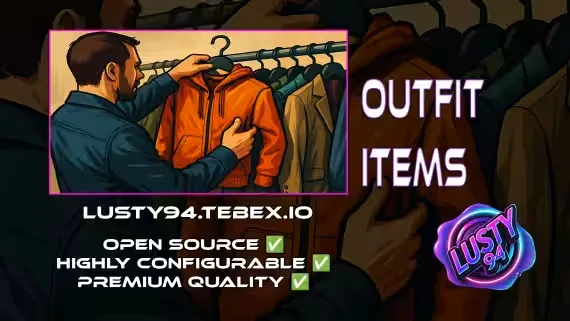
An outfit management script for qb-core that turns full uniforms into useable inventory items. Players can preview an outfit on their own character, buy it from a store, and equip it later with one click, all gated behind job, grade, or gang restrictions you control.
Built for Police, EMS, Mechanics, gangs, or any custom faction or civilian roleplay setup.
What It Does
Useable outfit items: create wearable items that instantly apply a full uniform or outfit, restricted by job, gang, or role.
Modular outfit stores: set up one or more stores where players visit to preview and purchase uniforms. Storefronts run on ox_lib context menus or the BDUK UI, your choice.
Live previews: players see the outfit on their own character before spending a dollar.
Restriction options: lock access to specific jobs, grades, or gangs, or leave an outfit free-use where it fits your setup.
One config file: locations, prices, inventory and more are all adjusted from a single modular config.
Supported Scripts
Some experimental support for third party creators is included.
Notifications 💬
- qb-core notify ✅
- okokNotify ✅
- mythic_notify ✅
- ox_lib ✅
- qs-notify ⚠️ (experimental, not tested)
Targets 🎯
- qb-target ✅
- ox_target ✅
Inventories 📦
- qb-inventory ✅
- ox_inventory ✅
- qs-inventory ⚠️ (experimental, not tested)
Clothing 👕
- qb-clothing ✅
- illenium-appearance ✅
Dependencies
- qb-core
- ox_lib
- qb-clothing or illenium-appearance
- BDUK, only if you use the UI storefront
Product information
Compatibility, delivery and setup
Check these listing details against your server before checkout. The documentation supplied with the download is the source of truth for exact dependencies, file names and configuration.
Compatibility
- Resource type
- FiveM script
- Category
- ESX Scripts
- Creator
- Not listed
Order details
- Price
- $9.00
- Delivery
- Unique download link sent by email after checkout
- Sold by
- CFX Tebex Store Official
- Updates
- Lifetime updates included
Installation checklist
Start with the files and readme included with this product.
-
Match the requirements
This listing names esx, qbcore, qbox support. Check the description and readme for required inventory, target, library, database or map resources.
-
Keep the supplied names and order
Do not guess or rename the resource folder. Use the dependency order, config values, SQL and item definitions supplied in the download when they are present.
-
Start it after its dependencies
Upload the folder to
resources/, then addensure <download-folder>toserver.cfgusing the exact downloaded folder name. -
Test before going live
Start it on a development server, check the console for missing dependencies, then test every action described on this page with the integrations used by your live server.
Write a review
Reviews are moderated before appearing. Purchased the product? Your review gets a VERIFIED badge automatically.