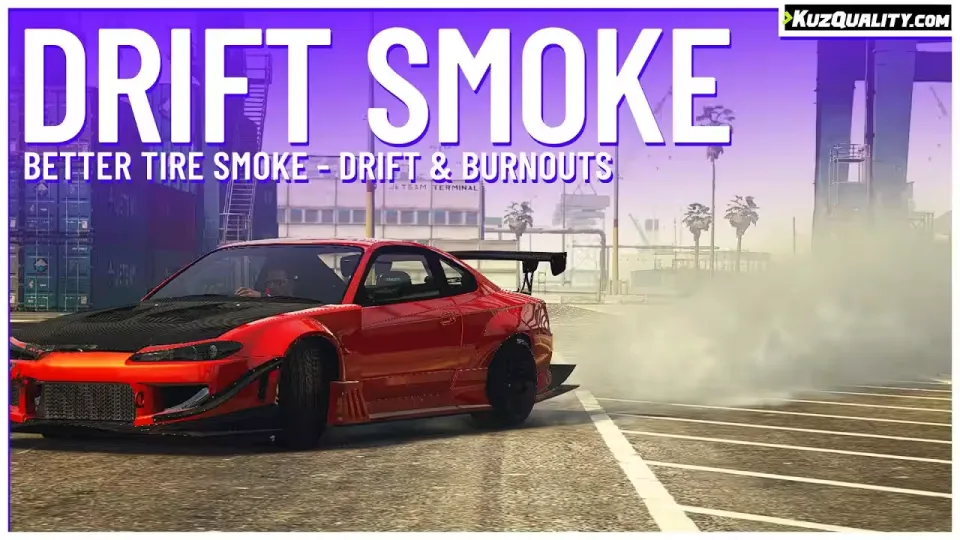
Free Drift Smoke Script
Stock tire smoke in FiveM barely reads as drifting. This free script replaces it with thicker, more believable smoke that is fully synced between players, so everyone on the server sees the same clouds coming off the same corner.
No, you do not need an Nvidia RTX card. That was a joke in the video.
Performance
The script idles at 0.01ms and uses no server resources at all. With tens of players around it can climb a tiny bit higher, but that is the ceiling.
It is fully standalone and needs no other scripts to run.
Main Features
- Works with colored tire smoke
- Ultra high performance, zero server resource usage
- Works with all cars, vanilla and modded
- Highly customizable
- Surface aware: no smoke while offroading, and you can disable that check in the config
- Smoke synced between all clients
Compatibility
Standalone, so it runs flawlessly on any server: ESX, QBCore, QBox, VRP, or no framework at all.
Product information
Compatibility, delivery and setup
Check these listing details against your server before checkout. The documentation supplied with the download is the source of truth for exact dependencies, file names and configuration.
Compatibility
- Resource type
- FiveM script
- Category
- ESX Scripts
- Creator
- Not listed
Order details
- Price
- FREE
- Delivery
- Unique download link sent by email after checkout
- Sold by
- CFX Tebex Store Official
- Updates
- Lifetime updates included
Installation checklist
Start with the files and readme included with this product.
-
Match the requirements
This listing names esx, qbcore, qbox support. Check the description and readme for required inventory, target, library, database or map resources.
-
Keep the supplied names and order
Do not guess or rename the resource folder. Use the dependency order, config values, SQL and item definitions supplied in the download when they are present.
-
Start it after its dependencies
Upload the folder to
resources/, then addensure <download-folder>toserver.cfgusing the exact downloaded folder name. -
Test before going live
Start it on a development server, check the console for missing dependencies, then test every action described on this page with the integrations used by your live server.
Write a review
Reviews are moderated before appearing. Purchased the product? Your review gets a VERIFIED badge automatically.


![QBCore Framework V5 [250+ Scripts] - This pre-made server delivers](/uploads/card/57d6d170e294b5f4b98ca61011e949ae.webp)