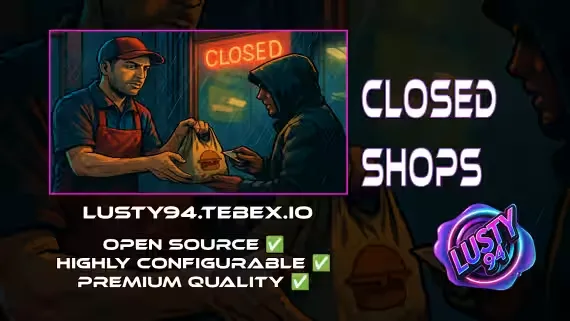
Closed Shops NPC
When your Burger Shot staff log off, the store usually dies with them. Closed Shops NPC fixes that: food job workers stock items they crafted on shift, and an NPC ped keeps selling that stock to the public while everyone is off-duty. Peds spawn and despawn in real time based on job activity, so the counter is only NPC-run when no employee is around to work it.
How the stock works
Nothing is conjured out of thin air. Every item on the shelf was made and stocked by a player, like burgers at Burger Shot, so supply stays finite and jobs stay relevant around the clock.
- Employees add stock straight from their inventory
- Custom price per item, capped by a max price you set in the config
- Prices can be updated at any time and changes are reflected live
- Passive income for workers, working shops for everyone else
Modular setup
- Supports multiple jobs and store locations
- Define ped coords, job names, inventory items, and max pricing per shop
- Buyer interface runs on ox_lib context menus or the BDUK UI
Secure and light
- Every interaction is gated behind job or admin checks
- Peds only spawn once per job, so the performance footprint stays minimal
- Admin menu to view and update stock and prices across all jobs, no limits
- Optional logging for events and exploit prevention, with distance checks and full action tracking
Supported scripts
Some experimental support for 3rd party creators is included.
Notifications
- qb-core notify
- okokNotify
- mythic_notify
- ox_lib
- qs-notify (experimental, not tested)
Targets
- qb-target
- ox_target
Inventories
- qb-inventory
- ox_inventory
- qs-inventory (experimental, not tested)
Banking
- qb-banking
- okokBanking
- renewed-banking
- wasabi_banking (experimental, not tested)
- tgg-banking (experimental, not tested)
- fd_banking (experimental, not tested)
Dependencies
- qb-core
- ox_lib
- oxmysql
- BDUK (only if you use the UI based store front)
- qb-banking or another supported banking script
- qb-target or ox_target, or add your own target support
- qb-inventory, ox_inventory or qs-inventory, or add your own inventory support
Product information
Compatibility, delivery and setup
Check these listing details against your server before checkout. The documentation supplied with the download is the source of truth for exact dependencies, file names and configuration.
Compatibility
- Resource type
- FiveM script
- Category
- ESX Scripts
- Creator
- Not listed
Order details
- Price
- $9.00
- Delivery
- Unique download link sent by email after checkout
- Sold by
- CFX Tebex Store Official
- Updates
- Lifetime updates included
Installation checklist
Start with the files and readme included with this product.
-
Match the requirements
This listing names esx, qbcore, qbox support. Check the description and readme for required inventory, target, library, database or map resources.
-
Keep the supplied names and order
Do not guess or rename the resource folder. Use the dependency order, config values, SQL and item definitions supplied in the download when they are present.
-
Start it after its dependencies
Upload the folder to
resources/, then addensure <download-folder>toserver.cfgusing the exact downloaded folder name. -
Test before going live
Start it on a development server, check the console for missing dependencies, then test every action described on this page with the integrations used by your live server.
Write a review
Reviews are moderated before appearing. Purchased the product? Your review gets a VERIFIED badge automatically.


