FiveM Boombox Script
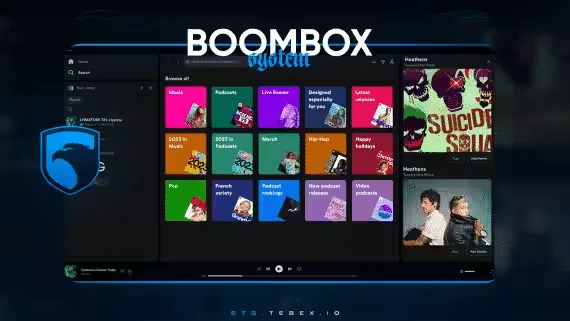
The music your players want, whenever they want it. The boombox is a portable item, so playback keeps going while they walk, run, dance with friends or drive across the city.
Playlists
Add as much music as you want and organize it into playlists. Every playlist has an editable cover photo, and gifs work as covers too.
Liked Songs
Tracks a player hearts are collected in a liked music list. From there they can add favorites straight into playlists, or toggle the heart button to remove a song again.
Search and Categories
Everything you add is searchable from the search menu, and any track can be filed into a category of your choice so big libraries stay easy to browse.
Compatibility
Works on ESX, QBCore and Qbox.
Product information
Compatibility, delivery and setup
Check these listing details against your server before checkout. The documentation supplied with the download is the source of truth for exact dependencies, file names and configuration.
Compatibility
- Resource type
- FiveM script
- Category
- ESX Scripts
- Creator
- Not listed
Order details
- Price
- $15.00
- Delivery
- Unique download link sent by email after checkout
- Sold by
- CFX Tebex Store Official
- Updates
- Lifetime updates included
Installation checklist
Start with the files and readme included with this product.
-
Match the requirements
This listing names esx, qbcore, qbox support. Check the description and readme for required inventory, target, library, database or map resources.
-
Keep the supplied names and order
Do not guess or rename the resource folder. Use the dependency order, config values, SQL and item definitions supplied in the download when they are present.
-
Start it after its dependencies
Upload the folder to
resources/, then addensure <download-folder>toserver.cfgusing the exact downloaded folder name. -
Test before going live
Start it on a development server, check the console for missing dependencies, then test every action described on this page with the integrations used by your live server.
Write a review
Reviews are moderated before appearing. Purchased the product? Your review gets a VERIFIED badge automatically.