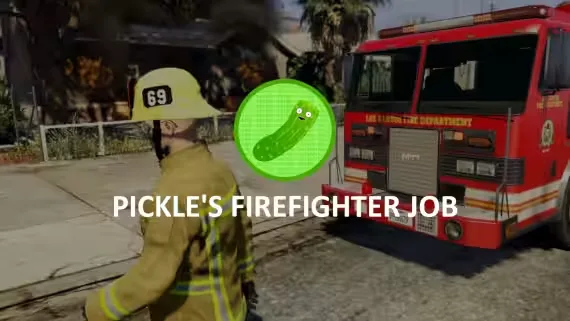
Advanced Firefighter Job
A firefighter job built around its own unique and reliable fire system. Fires get extinguished as a team, and rewards are split based on how much damage each firefighter did to the fire, so the player who actually worked the hose gets paid for it. Your fire department responds together, and the script gives them real tools to work with once they arrive.
Fighting fires
- Team extinguishing: put fires out together, with rewards split by damage done to the fire.
- Portable hose system: use it on scene and refill it with the "watertank" item.
- Extinguisher and firetruck support: both can put fires out.
- Custom fire types: create your own through the config.
- Random fire scenarios: included out of the box, with more addable in the config.
- Player-started fires: explosions, weapon fire and gas tanks can all start fires (car explosions excluded due to FiveM limitations).
- XP support: firefighters progress as they work.
Department tools
- Vehicle sawing to cut people out of wrecks.
- Drag players out of vehicles and carry them.
- Multiple department support.
- Department store, vehicles, duty and boss menu through esx_society / qb-management.
- Dispatch support, sending the event through Config.Alerts.
- Both third-eye and keypress interaction.
For developers
- Exports for fire targeting, useful if you'd rather run a different hose system.
- Exports to use in your other scripts.
- The framework bridge is fully accessible, so you can code your own.
Requirements
- ESX (1.1+) or QBCore, or write your own bridge for any other framework.
- ox_lib (required, works anywhere).
Optional metadata support
Not required to run the script, but it lets the job generate items with metadata:
- QBCore
- Ox Inventory
- ESX, if your inventory provider allows metadata to be set through "xPlayer.addInventoryItem"
Installation
- Rename the folder to "pickle_firefighterjob".
- Open the "_INSTALL" folder and install the files for the Items & Jobs.
- Change the outfits in the config to match your server's clothing settings.
- Restart the server.
Product information
Compatibility, delivery and setup
Check these listing details against your server before checkout. The documentation supplied with the download is the source of truth for exact dependencies, file names and configuration.
Compatibility
- Resource type
- FiveM script
- Category
- ESX Scripts
- Creator
- Not listed
Order details
- Price
- $15.00
- Delivery
- Unique download link sent by email after checkout
- Sold by
- CFX Tebex Store Official
- Updates
- Lifetime updates included
Installation checklist
Start with the files and readme included with this product.
-
Match the requirements
This listing names esx, qbcore, qbox support. Check the description and readme for required inventory, target, library, database or map resources.
-
Keep the supplied names and order
Do not guess or rename the resource folder. Use the dependency order, config values, SQL and item definitions supplied in the download when they are present.
-
Start it after its dependencies
Upload the folder to
resources/, then addensure <download-folder>toserver.cfgusing the exact downloaded folder name. -
Test before going live
Start it on a development server, check the console for missing dependencies, then test every action described on this page with the integrations used by your live server.
Write a review
Reviews are moderated before appearing. Purchased the product? Your review gets a VERIFIED badge automatically.


