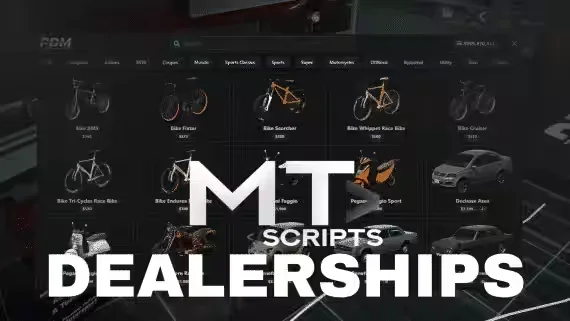
MT Dealerships, a Free Player Owned Dealership for QBCore, Qbox and ESX
Most dealership scripts force you to pick one model: either players own the lot or an NPC does. MT Dealerships lets you run both at once. Create as many dealerships as you want across the map, assign each one its own job and its own vehicle list, and decide per dealership whether it is player owned or runs without an owner.
How it works in game
Buyers browse the catalogue or walk the showroom floor, where they can test and buy vehicles straight from the display cars. An optional test drive system uses routing buckets, so the drive happens in its own instance and nobody watches a customer plow through the fuel pumps. On the staff side, employees sell vehicles from a dashboard, review the list of sales, and track importations. If you enable the stock system, dealerships hold real inventory, and admins can add or remove stock with a command.
Features
- Multiple dealerships: each with its own job and its own vehicle list
- Owned or not owned: choose per dealership, mix both on one server
- Test drives: optional, isolated in their own routing bucket
- Stock system: optional inventory per dealership, admin command to adjust it
- Two ways to buy: pick from the catalogue or purchase directly in the showroom
- Sales and import logs: staff see the full list of sales and importations
- Dashboard selling: employees handle sales from a management dashboard
Dependencies
- es_extended, qb-core or qbx_core
- ox_target or qb-target
- ox_lib
The UI is written in TypeScript with React, Vite and Mantine, so it stays clean and quick instead of fighting you with a dated NUI. And it costs nothing.
Product information
Compatibility, delivery and setup
Check these listing details against your server before checkout. The documentation supplied with the download is the source of truth for exact dependencies, file names and configuration.
Compatibility
- Resource type
- FiveM script
- Category
- ESX Scripts
- Creator
- Not listed
Order details
- Price
- FREE
- Delivery
- Unique download link sent by email after checkout
- Sold by
- CFX Tebex Store Official
- Updates
- Lifetime updates included
Installation checklist
Start with the files and readme included with this product.
-
Match the requirements
This listing names esx, qbcore, qbox support. Check the description and readme for required inventory, target, library, database or map resources.
-
Keep the supplied names and order
Do not guess or rename the resource folder. Use the dependency order, config values, SQL and item definitions supplied in the download when they are present.
-
Start it after its dependencies
Upload the folder to
resources/, then addensure <download-folder>toserver.cfgusing the exact downloaded folder name. -
Test before going live
Start it on a development server, check the console for missing dependencies, then test every action described on this page with the integrations used by your live server.
Write a review
Reviews are moderated before appearing. Purchased the product? Your review gets a VERIFIED badge automatically.


