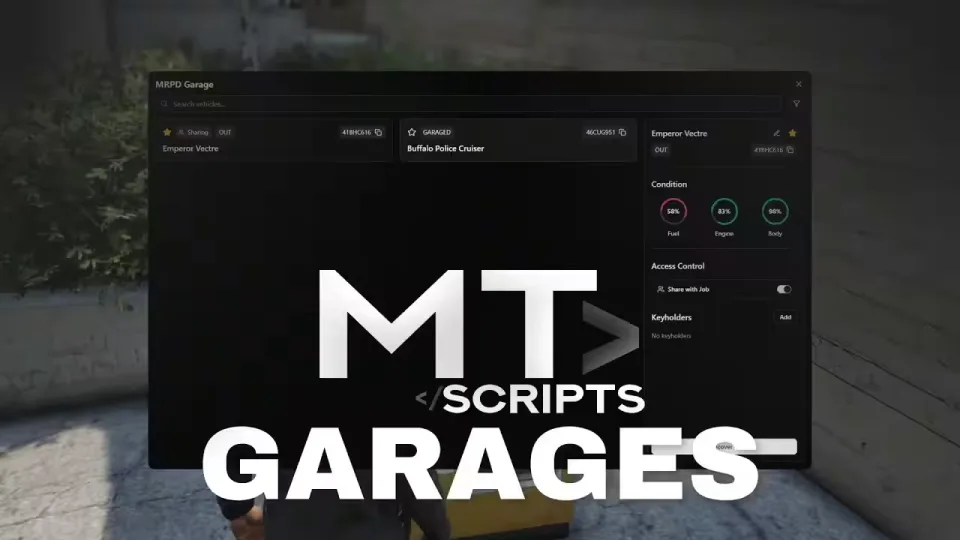
MT Garages, a Free FiveM Garage Script
Tired of racing to a garage before every server restart, or losing a car to the impound because your game crashed and it despawned? MT Garages fixes that. Vehicles persist exactly where you parked them, in the same condition, with locations saved to the database. Park it on a random street, log off, and it will be sitting there when you come back.
Want it safer than the street? Store it in a garage so nobody can steal it while you are offline. If a vehicle does go missing, recover it from the built in impound for a small fee.
Features
- Garage creator: set up new garages in game through a simple interactive tool, no config file digging
- Persistent parking: vehicle locations saved to the database, take your car back from where you left it, the way you left it
- Condition saving: damage, mods and fuel are all stored with the vehicle
- Vehicle sharing: give access to any player, or to every member of a job garage
- Impound system: built in and restricted to the jobs you choose
- Clean minimalistic UI
- Bridge system: integrates with ESX, QBCore and Qbox without touching core code
- Fully optimized
Product information
Compatibility, delivery and setup
Check these listing details against your server before checkout. The documentation supplied with the download is the source of truth for exact dependencies, file names and configuration.
Compatibility
- Resource type
- FiveM script
- Category
- ESX Scripts
- Creator
- Not listed
Order details
- Price
- FREE
- Delivery
- Unique download link sent by email after checkout
- Sold by
- CFX Tebex Store Official
- Updates
- Lifetime updates included
Installation checklist
Start with the files and readme included with this product.
-
Match the requirements
This listing names esx, qbcore, qbox support. Check the description and readme for required inventory, target, library, database or map resources.
-
Keep the supplied names and order
Do not guess or rename the resource folder. Use the dependency order, config values, SQL and item definitions supplied in the download when they are present.
-
Start it after its dependencies
Upload the folder to
resources/, then addensure <download-folder>toserver.cfgusing the exact downloaded folder name. -
Test before going live
Start it on a development server, check the console for missing dependencies, then test every action described on this page with the integrations used by your live server.
Write a review
Reviews are moderated before appearing. Purchased the product? Your review gets a VERIFIED badge automatically.