Crafting That Lives in the World
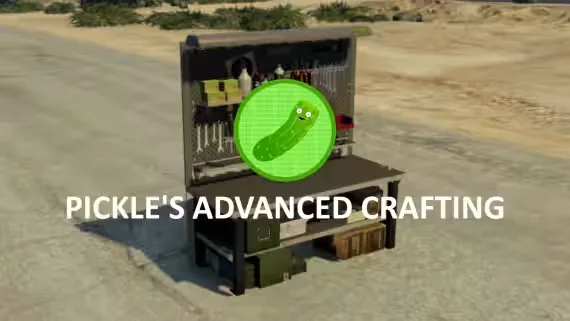
Most crafting scripts are a menu behind a marker. Advanced Crafting by Pickle puts the whole thing in the game world: players place their own crafting tables wherever roleplay takes them, craftable items show up as actual props on the bench, and you can drop permanent tables through the config for workshops, gang hideouts or job locations. Watch the showcase video for a good example of the roleplay this opens up.
Crafting Features
- Placeable tables: players put down their own benches, plus permanent tables defined in the config
- Prop previews: view your craftable items as props on the table
- Crafting queue: line up multiple items instead of babysitting one craft at a time
- Cooking system: fires and explosions are configurable per item when something gets overcooked
- Blueprints: lock recipes behind blueprint items so players learn new crafts over time
- Success rates: customize the crafting success chance per recipe
- Part handling: individual parts can be set to not consume when crafting
- Item metadata generation: great for stamping serial numbers onto crafted items (item must meet metadata requirements)
- Table theft: view and steal other players' crafted items straight from their table, configurable if that is not your server's style
- Custom actions: run your own logic before crafting or before an item enters the queue
XP and Progression
XP is category based rather than one flat "Crafting XP" pool, so a player can level gunsmithing without touching cooking. It uses Pickle's XP System out of the box, and the bridge lets you swap in your own XP resource.
Setup and Control
A modern UI, third-eye support, and exports to add and remove tables from your own resources. The framework bridge is fully accessible, so you can wire it into whatever you run.
Requirements
- ESX (1.1+) or QBCore, or code your own bridge using the fully accessible bridge files
- ox_lib (required, works anywhere)
Product information
Compatibility, delivery and setup
Check these listing details against your server before checkout. The documentation supplied with the download is the source of truth for exact dependencies, file names and configuration.
Compatibility
- Resource type
- FiveM script
- Category
- ESX Scripts
- Creator
- Not listed
Order details
- Price
- $20.00
- Delivery
- Unique download link sent by email after checkout
- Sold by
- CFX Tebex Store Official
- Updates
- Lifetime updates included
Installation checklist
Start with the files and readme included with this product.
-
Match the requirements
This listing names esx, qbcore, qbox support. Check the description and readme for required inventory, target, library, database or map resources.
-
Keep the supplied names and order
Do not guess or rename the resource folder. Use the dependency order, config values, SQL and item definitions supplied in the download when they are present.
-
Start it after its dependencies
Upload the folder to
resources/, then addensure <download-folder>toserver.cfgusing the exact downloaded folder name. -
Test before going live
Start it on a development server, check the console for missing dependencies, then test every action described on this page with the integrations used by your live server.
Write a review
Reviews are moderated before appearing. Purchased the product? Your review gets a VERIFIED badge automatically.