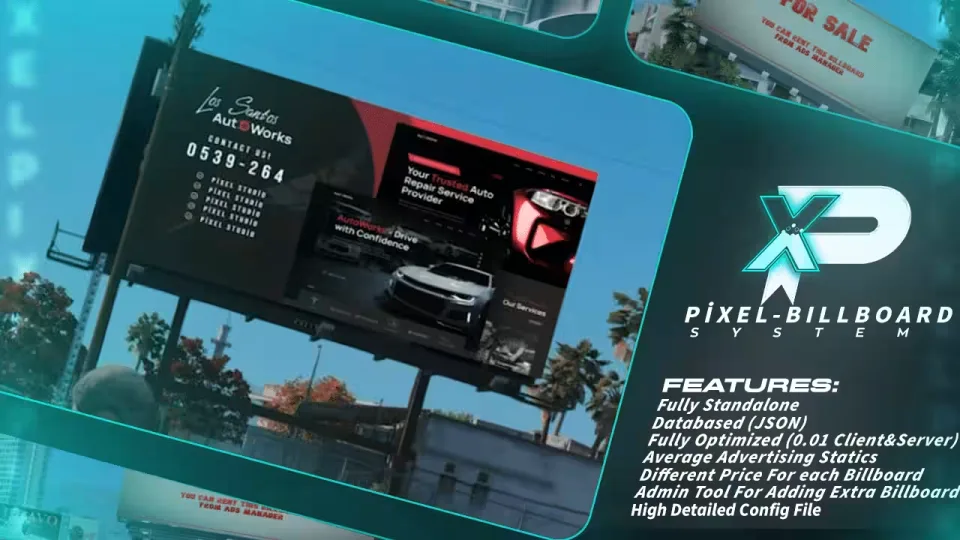
Give your players billboards they can actually rent. They walk up to the Ads Manager, press E, and open a map of every billboard available for hire. Each board carries its own hourly price, with boards in busy areas costing more, and every listing shows average advertising statistics so players can weigh price against exposure before committing. Once they pick a board, they set a rental length of up to 6 hours and choose a poster image for their ad.
Rentals are stored in a JSON database, so a player's poster stays on the board through server exits and full restarts until the rental period ends.
Place billboards anywhere
Nothing is locked to preset spots. Admins get in game tools to create extra billboards anywhere on the map, each with its own price, so you can build out an ad network that fits your city.
Features
- Fully standalone
- Create your own billboard anywhere on the map
- JSON database keeps ads alive through restarts
- 0.01 resmon on client and server at all times
- Different hourly price for each billboard
- Average advertising statistics shown per board
- Admin tools for adding and creating billboards
- Highly detailed config file
- Extensive documentation
Product information
Compatibility, delivery and setup
Check these listing details against your server before checkout. The documentation supplied with the download is the source of truth for exact dependencies, file names and configuration.
Compatibility
- Resource type
- FiveM script
- Category
- ESX Scripts
- Creator
- Not listed
Order details
- Price
- FREE
- Delivery
- Unique download link sent by email after checkout
- Sold by
- CFX Tebex Store Official
- Updates
- Lifetime updates included
Installation checklist
Start with the files and readme included with this product.
-
Match the requirements
This listing names esx, qbcore, qbox support. Check the description and readme for required inventory, target, library, database or map resources.
-
Keep the supplied names and order
Do not guess or rename the resource folder. Use the dependency order, config values, SQL and item definitions supplied in the download when they are present.
-
Start it after its dependencies
Upload the folder to
resources/, then addensure <download-folder>toserver.cfgusing the exact downloaded folder name. -
Test before going live
Start it on a development server, check the console for missing dependencies, then test every action described on this page with the integrations used by your live server.
Write a review
Reviews are moderated before appearing. Purchased the product? Your review gets a VERIFIED badge automatically.